The Real Cost of AI: Caching and Batch Processing (Part 3 of 5)
How prompt caching and batch processing cut AI bills, what each provider charges, and four ways caching quietly fails. Prices read November 24, 2026.
By Dr. Sanju Abraham, Fractional CTO, investor, multiple exits. Published November 26, 2026.
This is Part 3 of 5 in The Real Cost of AI series. Part 2 covers model routing, and Part 1 covers seats, token prices and hidden costs.
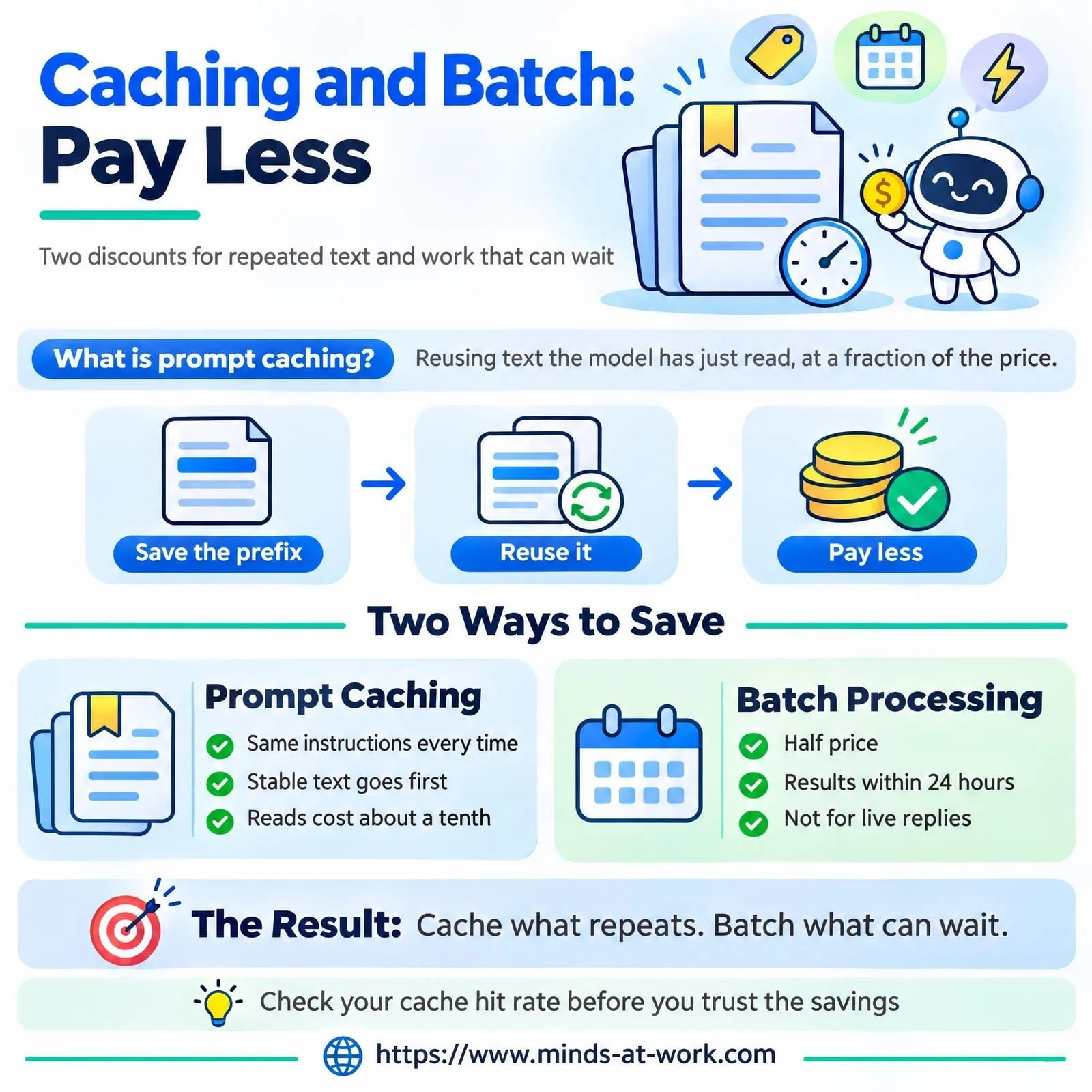
The short answer: Prompt caching charges a fraction of the normal price to re-read the start of a prompt that repeats. Batch processing charges half price for work that can wait up to a day. Cache what repeats and batch what can wait. In my invented example, caching takes a routed $81 monthly bill to about $56 at a 90 percent hit rate, at Anthropic’s rates. Batching a monthly report cuts it from $90 to $45 or less at the same rates.
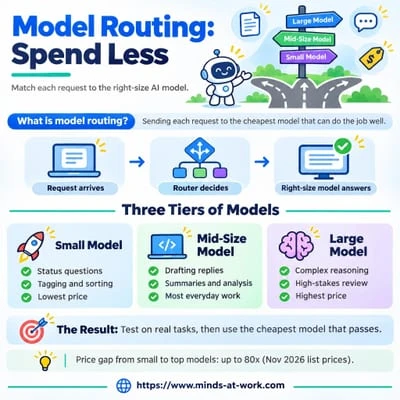
Part 2 was about which model reads a request. This part is about how often you pay full price to send the same words. It also asks whether the work needs an answer right now.
Two discounts cover most of it. Prompt caching lowers the price of text the model has recently seen. Batch processing halves the price of work that can wait. Both are offered by the big providers and documented in plain language. Both can backfire if you set them up carelessly.
As before, every price comes from the provider’s own page, read November 24, 2026. The team in the worked example is the invented ten-person company from Part 1 and Part 2, and its numbers are illustrative.
Caching and batch processing at a glance
These are the facts most readers look for first, as of November 24, 2026, when I read each price. The list covers the two discounts, what they cost, how caching fails and what to check. The sections below give the sources and the caveats. The dollar figures for the support team come from my invented example.
- Rule of thumb: Cache what repeats and batch what can wait
- Cache reads: About one tenth of the normal input price on most models, according to Anthropic’s prompt caching page and OpenAI’s prompt caching guide
- Cache write premium: 1.25 times the normal input price for Anthropic’s 5-minute cache, according to the same Anthropic page
- Batch discount: 50 percent for requests run within 24 hours, according to Anthropic, OpenAI and Google
- Caching in my invented example: A routed $81 monthly bill falls to about $56 at a 90 percent hit rate and rises to about $89 at 0 percent, priced from Anthropic’s rates
- Batching in my invented example: A monthly report falls from $90 to $45, at the same Anthropic rates
- Main risk: Caching fails quietly, through a timestamp near the top, a settings change, a short prompt or 50 requests fired at once
- What to check: The cache read and write counts in each response
What is prompt caching?
Prompt caching means the provider remembers the start of your prompt and charges less to re-read it. Every time you send a request to an AI model, you pay to send everything in it. That means the instructions, any reference documents, the conversation so far and the new question. Say 2,000 of your 3,000 tokens are the same on every request. Then you pay full price to re-read those 2,000 tokens thousands of times.
Think of a photocopier that remembers. The first time it scans your 40-page policy manual, it charges a little extra. For the next few minutes, any copy of the same pages costs a tenth of the normal price. That is prompt caching.
In technical terms, the provider saves its work on the beginning of your prompt, called the prefix. It reuses that work when a later request starts with exactly the same text. OpenAI’s documentation notes that it saves internal states rather than the text itself. That is why it can be cheaper and faster.
What do the providers charge for caching?
On most models a cache read costs about one tenth of the normal input price. Writing the cache costs a little more than normal.
| Anthropic (Claude API) | OpenAI (GPT-5.6 and later) | |
|---|---|---|
| How you turn it on | Opt in by adding a cache_control setting, either on the whole request (automatic) or on specific blocks |
On by default for supported models |
| Cost to save a prefix | 1.25 times the normal input price for a 5-minute cache, 2 times for a 1-hour cache | 1.25 times for the default 30-minute cache, 2.5 times for a 12-hour cache |
| Cost to reuse it | 0.1 times the normal input price on most models; 0.05 times on Claude Sonnet 5.5 and Claude Opus 5.5 | 0.1 times on most models; 0.05 times on gpt-6.2-astra, gpt-6.2-sol, gpt-6.1-sol and gpt-6.1-terra |
| How long it lasts | 5 minutes by default, refreshed each time it is used; 1 hour at the higher write price | 30 minutes by default; 12 hours at the higher write price |
| Smallest prompt that can be cached | 512 tokens on Claude Sonnet 5.5, Opus 5.5, Haiku 5.5 and Fable 5.2 | 1,024 tokens on GPT-5.6 and later |
Sources: Anthropic’s pricing and prompt caching pages, and OpenAI’s prompt caching guide, read November 24, 2026. Older models have different rules, so check the page for the model you use.
Google’s Gemini API pricing page lists a separate “context caching” price for each model. For the Gemini 4 models it says only implicit caching is supported, so you can’t choose what gets cached. Gemini 3.8 Flash also lists a storage price per million tokens per hour.
Does prompt caching pay off?
Quickly, yes, when the same text really repeats. Anthropic says on its prompt caching page that a 5-minute cache saves money after a single reuse. OpenAI gives a worked example in its prompt caching guide. Writing a prefix once and reusing it nine times costs 2.15 times its normal price. Without caching, it costs 10 times.
The arithmetic is 1.25 for the write plus nine reads at 0.1 each: 1.25 + 9 × 0.1 = 2.15. The saving grows with every extra reuse. A prefix that is sent only once never repays the write premium. That is why the reuse count matters as much as the discount rate.
How does prompt caching quietly fail?
Four common mistakes erase the discount without any error message. Each one is easy to make, because the request still works and the answer still looks right. Only the bill and the usage counts show that caching has stopped. Here are the four mistakes, in the order I would check them.
Why does the text have to match, and what resets it?
First, the text has to match exactly, from the start. Caching is a prefix match, as Anthropic’s published guidance for developers puts it, and any change in the prefix invalidates everything after it. A timestamp, a reordered list or a different tool definition near the top can wipe out the savings. The fix is a layout rule. Put the stable material first (instructions, policies, reference documents) and the changing material last (today’s customer message).
Second, settings changes can reset it. Anthropic’s docs list what invalidates the cache. Editing tool definitions invalidates everything. Turning web search on or off, adding or removing images, or changing the thinking or effort settings invalidate parts of it. If you are experimenting with the settings from Part 2, expect some cache misses while you do.
What else erases the savings?
Third, short prompts are silently skipped. A prompt below the minimum length is processed without caching and no error appears. Anthropic’s documentation says to check the usage numbers in each response. If both cache_creation_input_tokens and cache_read_input_tokens are zero, nothing was cached.
Fourth, parallel requests may all miss. Anthropic notes that a cache entry becomes available only after the first response starts. If your software fires 50 requests at once, none of them can use a cache that the first one hasn’t finished writing.
There is also the clock. With a 5-minute lifetime, a quiet hour means the next request pays the write price again. Assume each model warms its own cache, too. OpenAI’s guide lists the model among the settings that decide whether a prefix can be reused. So traffic that you split across three models in Part 2 may warm three caches, not one.
What does caching save in our example?
At a 90 percent hit rate, caching takes the routed bill from about $81 to about $56, priced from Anthropic’s rates. The team’s tickets use about 3,000 input tokens. Suppose 2,000 of them are shared instructions and policy text, and 1,000 are the customer’s message and history. The shared part is the same on every ticket.
The team uses the routed setup from Part 2. That means 14,000 tickets to Claude Haiku 5.5, 5,000 to Sonnet 5.5 and 1,000 to Opus 5.5. A small sorting step is there too, and I’m leaving it alone.
How does the hit rate change the monthly bill?
Here is the monthly bill at different cache hit rates. A hit means the 2,000 shared tokens were read from cache. A miss means they were written at 1.25 times the price. The hit rates are my assumptions.
| Share of tickets that hit the cache | Monthly cost of ticket replies and sorting |
|---|---|
| No caching at all | about $81 |
| 0% (every ticket writes, none reads) | about $89 |
| 50% | about $70 |
| 90% | about $56 |
| 95% | about $54 |
The second row is the important one. Switching caching on without any reuse makes the bill larger. You pay the write premium and never collect the discount. At the nine-in-ten row, the bill falls by about a third. Both savings stack. Routing changes the price of each token, and caching changes how many tokens are billed at full price.
Does one hit rate fit every model?
For comparison, the original Opus-only setup with no routing costs $400 a month at Anthropic’s list prices. The same caching at a 90 percent hit rate would bring it to about $267 at those same prices.
The split matters here. Haiku gets about 470 tickets a day, so its 5-minute cache will mostly stay warm. Opus gets about 33 a day, little more than one an hour. Its cache would often expire between tickets, so a flat hit rate of nine in ten would be optimistic for that slice. For a low-volume slice, the 1-hour option costs more to write but survives the gaps. Watch your real hit rate per model for a week before picking.
What is batch processing, and what does it save?
Batch processing runs your requests together later, at half the price. Some work does not need an answer in seconds. Sorting last month’s tickets into categories, summarizing a pile of call transcripts or scoring a test set against a new prompt can all run overnight. Batch processing lets you submit those requests together and collect the results later at half the price.
The three main providers all offer it:
- Anthropic: all usage is charged at 50 percent of standard prices. Most batches finish in under an hour, results are available when everything completes or after 24 hours, and a batch that isn’t done in 24 hours expires. A batch is limited to 100,000 requests or 256 MB.
- OpenAI: 50 percent lower cost than synchronous calls, with a 24-hour completion window. Each input file can include requests to only one model.
- Google: the paid Gemini API tier lists a Batch API with a 50 percent cost reduction.
Sources: Anthropic’s batch processing guide, OpenAI’s Batch API guide and Google’s pricing page.
What is the fine print on batches?
Batches are not for conversations, and they can overrun your spend limit. They don’t stream, and they can’t use Anthropic’s fast mode. A customer waiting for a reply cannot sit in a queue for up to a day, so the team’s live ticket replies stay out of it.
Two details deserve a place in your budget notes. Anthropic’s batch page says that because of high throughput, batches might go slightly over the spend limit you set in the Console. And when demand is high, more requests may expire after 24 hours, which means you would have to run them again. So a budget that assumes every request finishes on the first try may be a little optimistic.
What does batch processing save in our example?
Running a monthly review as a batch halves the cost, and caching can take it to about $26. Suppose once a month the team summarizes and tags all 20,000 closed tickets for a report, about 1,500 tokens in and 150 out per ticket (my numbers). On Claude Sonnet 5.5, run live, that costs 20,000 × (1,500 × $2 + 150 × $10) ÷ 1,000,000 = $90.
| Way of running the monthly review | Cost |
|---|---|
| Live, Claude Sonnet 5.5 | $90 |
| Batch, Claude Sonnet 5.5 | $45 |
| Batch plus caching of 1,000 shared tokens, best case | about $26 |
Anthropic says its batch and caching discounts combine. The last row assumes every ticket reuses the cache. Anthropic advises the 1-hour cache for batches with shared context, because a batch can run longer than 5 minutes. So by my estimate, real results fall between $26 and $45, using the discounts on Anthropic’s pricing page.
When don’t these discounts help?
They don’t help when nothing repeats, when too few requests arrive, or when a person is waiting. Each case below is a place where the discount either never applies or turns into a cost. If your workflow matches one of them, skip the setup work and spend the time on routing or on a shorter prompt instead.
- Little repetition. If every request is different from the first token, there is nothing to cache.
- Too few requests. A cache that expires before the next request arrives is a pure write premium.
- Prompts below the minimum. They are silently excluded.
- Anything a person is waiting for. Batch is out.
- Prompts that keep changing near the top. A timestamp in the first line of your instructions is enough to ruin caching.
What should you do this week?
Read your cache numbers first, then reorder prompts, then list the jobs that can wait. The four steps below take an afternoon and need no new tools.
- Read the usage numbers. In your API responses or dashboard, find the cache read and cache write counts. If both are zero on a busy workflow, caching isn’t working.
- Reorder your prompts. Move instructions and reference text to the front and today’s input to the back. Keep timestamps out of the top.
- Make a list of jobs that can wait. Reports, tagging, evaluations and backlog clean-ups are candidates for batch.
- Track the hit rate. It’s the number that tells you whether the discount is real. Part 5 includes a place for it.
Want a second pair of eyes on which of your AI workflows repeat enough to cache? Or which can wait for a batch? That is the kind of work a Fractional CTO takes on. My AI strategy guide for SMB owners covers where AI belongs before you tune what it costs. The AI strategy archive has more posts like this.
What comes next in the series?
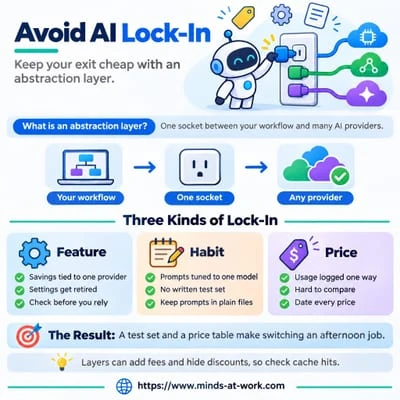
Part 4 asks what happens when your savings depend on one provider’s features. Caching and batch are features of individual providers, with different rules, prices and names. Part 4 looks at how a provider-abstraction layer can keep you free to move without throwing the discounts away. That matters because a discount you lose when you switch providers is a hidden cost of its own.
Frequently asked questions
These are the questions readers ask most often about prompt caching and batch processing. The answers cover what caching is, how much batching saves, why caching fails, whether the two combine and whether caching can raise a bill. They use the same sources and the same November 24, 2026 prices as the sections above.
What is prompt caching in AI?
Prompt caching means the AI provider saves its work on the beginning of your prompt, called the prefix. It charges less to reuse that work when a later request starts with exactly the same text. On most models a cache read costs about a tenth of the normal input price, while writing the cache costs somewhat more. It pays off only when the text really repeats.
How much does batch processing save?
Anthropic, OpenAI and Google each list a 50 percent discount for batch requests. The trade is time. Results arrive within a 24-hour window, and Anthropic says most batches finish in under an hour. Batches do not stream, so they suit reports, tagging and evaluations. They do not suit a customer waiting for a live reply.
Why is my prompt caching not working?
The most common cause is a changing prefix, such as a timestamp near the top. Other causes are a settings change that invalidates the cache, a prompt shorter than the minimum, and many parallel requests that arrive before the first has finished writing. Check the cache read and cache write counts in each response. If both are zero, nothing was cached.
Can I combine caching and batch processing?
Yes. Anthropic says its batch and caching discounts combine. Because a batch can run longer than five minutes, Anthropic advises the 1-hour cache when requests share context. In my invented example, a $90 monthly review fell to $45 as a batch at Anthropic’s rates. With caching on top it fell to about $26 in the best case at the same rates, so real results land between those figures.
Can caching ever raise my AI bill?
Yes. Writing a cache costs more than a normal read of the same text, so switching it on with no reuse makes the bill larger. In my invented example, a 0 percent hit rate raised the monthly bill from about $81 to about $89, at Anthropic’s rates. Track your real hit rate before you rely on the savings.