The Real Cost of AI: Avoiding Lock-In With Abstraction Layers (Part 4 of 5)
What AI lock-in looks like, what a provider-abstraction layer is and costs, and how to keep your exit cheap without losing caching and batch discounts.
By Dr. Sanju Abraham, Fractional CTO, investor, multiple exits. Published November 27, 2026.
This is Part 4 of 5 in The Real Cost of AI series. Part 3 covers caching and batch processing, Part 2 covers model routing, and Part 1 covers seats, token prices and hidden costs.
The short answer: Lock-in is what it costs you to move when a provider changes a price, a feature or a model. Keep that cost low with a test set, prompts in plain files, a dated price table and usage logged in one format. Add a layer only when your situation calls for one. In my invented example, the same routed workload costs about $81 a month at Anthropic’s list prices and about $101 at OpenAI’s. The whole gap comes from one tier choice.
The savings in Part 2 and Part 3 share a quiet risk. They depend on specific models, specific settings and specific discounts offered by specific providers. If one of those changes, or a competitor offers a better deal, how hard is it for you to move?
This part explains what lock-in looks like in practice, what a provider-abstraction layer is and what it costs. It also shows how a ten-person team with no dedicated engineers can keep its options open without building anything heavy.
All prices and statements come from the providers’ and tools’ own pages, read November 24, 2026. The example team is the invented one from the earlier parts.
AI lock-in and abstraction layers at a glance
These are the facts most readers look for first, as of November 24, 2026, when I read each page. The list covers what lock-in is, what a layer is, what a layer costs and how to keep your exit cheap. The sections below give the sources and the caveats. The cost comparison comes from my invented example.
- What lock-in is: The cost of switching providers, in three forms: feature, habit and price lock-in
- Why it matters: Providers deprecate settings, retire models and move prices; Gemini 4 Argon’s price doubles on December 1, 2026, according to Gemini API pricing
- What a layer is: One place where a request goes in, with a setting behind it that decides which provider’s model answers
- Four shapes: Your own thin wrapper, a library, a gateway and a provider’s compatibility mode
- Fee example: OpenRouter charges a 5.5 percent credit fee on its Standard plan, about $3 on the $56 bill from Part 3, according to OpenRouter’s pricing page
- Main risk: A flattened layer can silently drop provider features such as caching; Anthropic’s compatibility documentation says to use the native API for the full feature set
- Second provider in my invented example: About $81 a month at Anthropic’s list prices and about $101 at OpenAI’s
- Cheap exit: A test set, prompts in plain files, a dated price table and usage logged in one format
What is AI lock-in?
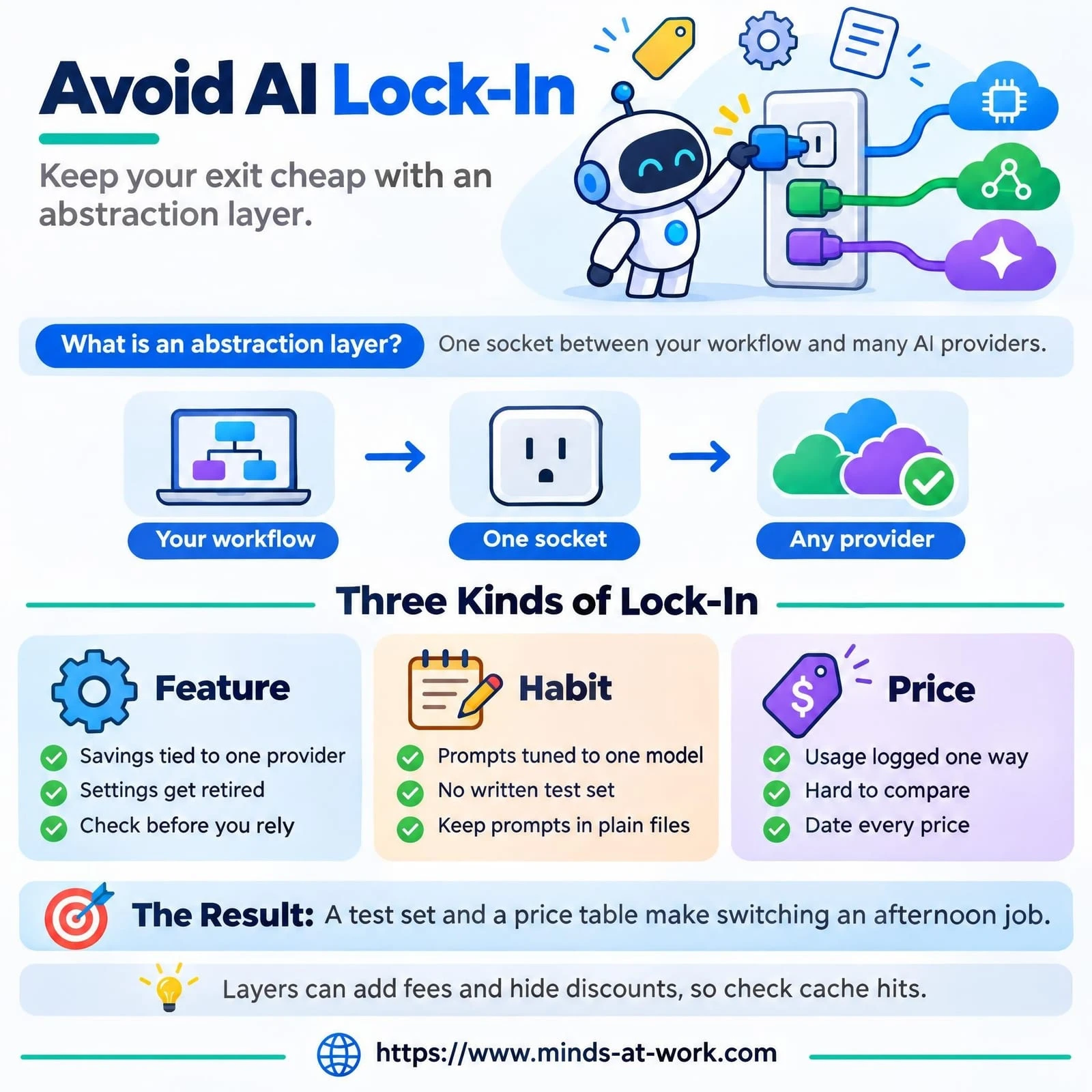
Lock-in is the cost of switching providers, and for AI it has little to do with contracts. It is the work you would have to redo, and the money you would lose, if you moved your workflow from one provider to another. It comes in three forms, and each one builds up quietly while everything still works.
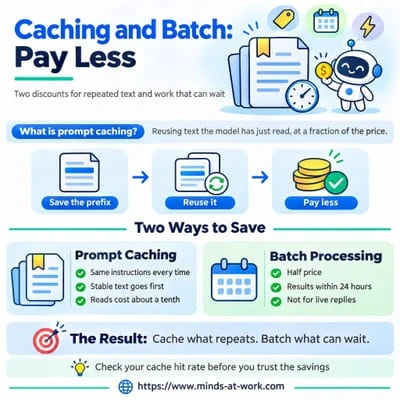
- Feature lock-in. Your savings rely on something only one provider offers, in the form that provider offers it. The cache discounts from Part 3 are one example.
- Habit lock-in. Your prompts, instructions and settings were tuned on one model, and nobody wrote down what “good” looks like. Switching then means starting over.
- Price lock-in. You can’t compare prices because your usage data is in one provider’s format, so you can’t tell what the alternative would cost.
None of these is a reason to avoid a provider. All three are reasons to keep your exit cheap, and the rest of this part shows how.
What do providers change under you?
Providers change settings, retire models and reprice them, and you don’t have to imagine it. The pages I read on November 24 show several changes, large and small.
| What changed | Where it’s documented |
|---|---|
| Anthropic’s manual “extended thinking” setting is deprecated, and its Claude 4.7 and later models reject requests that use it with an error | Anthropic extended thinking guide |
| Several older Claude models, including Opus 4, Opus 4.1 and Sonnet 4, are marked retired on Anthropic’s own platforms, though they may still be available on other cloud platforms | Anthropic pricing page |
| OpenAI says it won’t add its discounted “Flex” processing to new models while it winds down the beta | OpenAI pricing page |
| Google’s Gemini 4 models list implicit caching only, so you can’t choose what gets cached, and Gemini 4 Argon’s price doubles on December 1, 2026 | Gemini API pricing |
| Anthropic’s newer tokenizer produces about 30 percent more tokens for the same text | Anthropic pricing page |
Staying put isn’t safe either. Models are retired and settings are removed, so you will migrate eventually. The real choice is whether you do it on your schedule or on theirs.
What is a provider-abstraction layer?
A provider-abstraction layer is one place in your workflow where a request goes in, with a setting behind it that decides which provider’s model answers. Imagine a wall socket. Your lamp doesn’t care which power company supplies the electricity, because it plugs into the same socket. A layer is that socket for AI.
There are four common shapes, from lightest to heaviest.
| Shape | What it is | Example |
|---|---|---|
| Your own thin wrapper | One function or file in your code that is the only place a model gets called | Written in-house |
| A library | Code you install that gives you one way of calling many providers | LiteLLM’s SDK (Python) and the AI SDK from Vercel (TypeScript) |
| A gateway | A service your software calls instead of calling providers directly, which then forwards requests | LiteLLM’s self-hosted proxy, with virtual keys, cost tracking and an admin UI; OpenRouter, a hosted service with one endpoint for hundreds of models and automatic fallbacks |
| A provider’s compatibility mode | One provider accepts another’s request format | Anthropic’s OpenAI SDK compatibility |
For a non-technical team, you will probably never write any of these. But you will be asking someone who does, or buying a product that contains one, so it helps to know what to ask for.
What does an abstraction layer cost?
A layer costs fees, some flattened features, occasional surprise switches and muddier cost data. Abstraction is not free, and these are the costs I can document. Each one is small on its own. Together they decide whether a layer saves you money or quietly costs you some. The four sections below take them in turn: fees, lost discounts, silent model changes and split cost data.
What fees does a layer add?
OpenRouter says it doesn’t mark up inference, and charges for buying credits instead. You pay the provider’s list price. Its charge is a 5.5 percent fee when you buy credits on the Standard plan, and 8 percent on Business. If you bring your own provider keys, the same pricing page says the plan includes $25,000 a month of list-price inference with no fee, and 5 percent above that. Bringing your own keys means your requests use your own accounts with each provider.
On the routed and cached bill from Part 3, about $56 a month, 5.5 percent is about $3. LiteLLM is open source, so its cost is not a fee. It is the running of the server and the time of whoever maintains it.
Does a layer switch off caching and batch discounts?
It can, because a layer that speaks only the common denominator may quietly drop provider-specific features. Anthropic is direct about this. Its compatibility documentation says the layer is intended for testing and comparing models. It is not meant as a long-term or production-ready solution for most use cases. For the full feature set, including PDF processing, citations, thinking and prompt caching, the page says to use the native API. That is the tension I flagged at the end of Part 3.
Better layers pass the discounts through. LiteLLM’s prompt caching page lists OpenAI, Anthropic, Google and others as supported, and reports cache hits in a common format. It also warns that caching is silently skipped below a provider’s minimum, and it says to check that caching actually happened. The lesson from Part 3 applies here: trust the hit rate, not the feature list.
Can a layer change my model without a code change?
Yes, if you use a “latest” alias. OpenRouter offers aliases such as ~openai/gpt-sol-latest that always point to the newest model in a family. That is convenient. But my reading is that it can change your price, your tokenizer and your output from one week to the next, with no change on your side. Pin specific models for anything you have tested, and move to a newer one on purpose.
Why does a gateway muddy cost data?
When a gateway falls back from one model to another, spend can split across both. LiteLLM’s cost-tracking documentation warns that grouping only by the routed model splits a workload between its primary and fallback routes. It suggests using the original model group for reporting. A dashboard needs to know about this, which is part of why Part 5 records the model that actually answered.
What would the same workload cost on a second provider?
On list prices, the same routed workload costs about $81 a month on Anthropic’s models and about $101 on OpenAI’s, with no caching on either side. Those figures use the Anthropic and OpenAI pricing pages. The cheapest way to keep your options open is to know what the alternative would cost. Here is the routed bill from Part 2 for the example team, priced on both providers. I matched tiers by price, not by quality. Only your own test, from Part 2, can tell you whether the models are equally good at your tickets.
How is the bill worked out?
| Tier | Share of tickets | Anthropic model, price in/out per million | OpenAI model, price in/out per million |
|---|---|---|---|
| Small | 70% | Haiku 5.5, $0.10 / $0.50 | gpt-6-luna, $0.10 / $0.50 |
| Mid | 25% | Sonnet 5.5, $2 / $10 | gpt-6.2-sol, $2 / $10 |
| Top | 5% | Opus 5.5, $4 / $20 | gpt-6.2-astra, $8 / $40 |
The example uses 3,000 input tokens and 400 output tokens per ticket, and 20,000 tickets a month. The sorting step adds about $4 a month on either side at the same Anthropic and OpenAI list prices. The small and mid tiers cost the same on both sides.
Worked example, by tier plus sorting ($ a month):
- Anthropic mix: 7 + 50 + 20 + 4 = about $81.
- OpenAI mix: 7 + 50 + 40 + 4 = about $101.
The whole gap ($101 − $81 = $20) comes from the top tier. I paired Opus 5.5 with gpt-6.2-astra, which OpenAI lists at twice the price.
What changes if the top tier changes?
Pair the top tier with gpt-6.2-sol instead, and the OpenAI mix comes to about $71 at OpenAI’s list prices. That is below the Anthropic mix, but only if that model is good enough for your hardest tickets. Only your own test set can say.
The takeaway is that the model you pick for the top tier moves the total as much as the provider you pick. That is a reason not to switch on price alone.
How do you keep your exit cheap?
Keep a test set, keep prompts in plain files, date your prices, log usage in one format and rerun the comparison each quarter. You can do all of this without any code. None of it needs a gateway or a library. It needs a few documents your team owns and an hour or two each quarter.
What are the five steps?
- Keep a test set. The 50 to 100 real tickets and pass-or-fail checks from Part 2 are your real escape hatch. With them, trying a new model takes an afternoon. Without them, nobody dares to switch.
- Keep prompts in plain files. Instructions and policy text should live in documents your team owns, not buried in one product’s settings screen.
- Date and store your prices. Keep one table, with the page and date next to each price. This is the first tab of Part 5’s dashboard.
- Record usage in one format. Whatever the provider calls them, log input, output, cache-read and cache-write tokens in the same columns.
- Rerun the comparison on a schedule. Once a quarter, run your test set on one alternative model. The point is to know the number, not to switch.
What should people who write code add?
Put provider-specific things such as cache markers and batch submissions in one small adapter file per provider, and keep the rest of the code neutral. That way you use each provider’s discounts fully, and you can still change providers by editing one file.
How much layer do you need?
Match the layer to your situation, and for many small teams the answer is no layer at all. The table below pairs four common situations with what I would do in each.
| Your situation | What I’d do |
|---|---|
| Staff using chat apps on seats, no API use | No layer. Keep your prompts and examples in shared documents. Review seats at renewal. |
| One workflow on one provider’s API | A thin wrapper, a test set and a dated price table. |
| Several workflows or two providers in use | A library or a thin wrapper plus adapters. Check cache hit rates through it. |
| Many teams, shared budgets, key management | A gateway. Weigh the 5.5 percent fee or the cost of running it against the control you gain. |
If you want a second pair of eyes on how exposed your AI workflows are to one provider, that is the kind of work a Fractional CTO takes on. A Fractional CTO can also help you pick which exit steps to do first.
My AI strategy guide for SMB owners covers where AI belongs before you tune what it costs. The AI strategy archive has more posts like this.
What comes next in the series?
Part 5 puts everything together into a cost dashboard you can build in an afternoon. You can’t manage what you can’t see. The dashboard is a spreadsheet layout with the exact columns and formulas, and it uses the numbers from this series’ example team. Its first tab holds your dated price table, and it records the model that actually answered each request. People who want it automated also get an optional script.
Frequently asked questions
These are the questions readers most often ask about AI lock-in and abstraction layers. The answers cover what lock-in is, what a layer is, what it costs, whether it breaks caching and batch discounts, and how to switch providers without rebuilding. Each answer uses the same sources as the sections above, so the figures match.
What is vendor lock-in with AI providers?
Vendor lock-in is the cost of moving from one AI provider to another. It comes in three forms. Feature lock-in means your savings rely on one provider’s offer. Habit lock-in means your prompts were tuned on one model with no written test set. Price lock-in means your usage data sits in one provider’s format and can’t be compared.
What is an LLM abstraction layer?
An abstraction layer is a single place in your workflow where a request goes in, with a setting behind it that chooses which provider’s model answers. It can be your own wrapper, a library such as LiteLLM’s SDK or the AI SDK, a gateway such as OpenRouter, or a provider’s compatibility mode. Its job is to make switching providers cheap.
Does an abstraction layer cost extra?
Sometimes. OpenRouter says it doesn’t mark up inference, but its pricing page shows a 5.5 percent fee on credit purchases on the Standard plan and 8 percent on Business. On a $56 monthly bill, the 5.5 percent fee is about $3. LiteLLM is open source, so its cost is the server and the person who maintains it. A layer can also flatten features such as prompt caching.
Will an abstraction layer break my caching and batch discounts?
It can. A layer that speaks only the common denominator may drop provider-specific features. Anthropic’s own compatibility documentation says to use the native API for the full feature set, including prompt caching. Better layers pass discounts through, but caching can still be skipped silently. So check the cache hit rate rather than the feature list.
How do I switch AI providers without rebuilding everything?
Keep a test set of 50 to 100 real examples with pass-or-fail checks, keep your prompts in plain files you own, and log usage in one format. Then trying a new model takes an afternoon. If you write code, keep provider-specific features such as cache markers in one small adapter file per provider, and keep the rest neutral.