Personal AI Agents Explained: What They Are and Why Now (Part 1 of 18)
An 18-part guide to 16 personal AI agents. What an agent is, why they arrived now, the three families, and how each one gets scored.
By Dr. Sanju Abraham, Fractional CTO, investor, multiple exits. Published November 6, 2026.
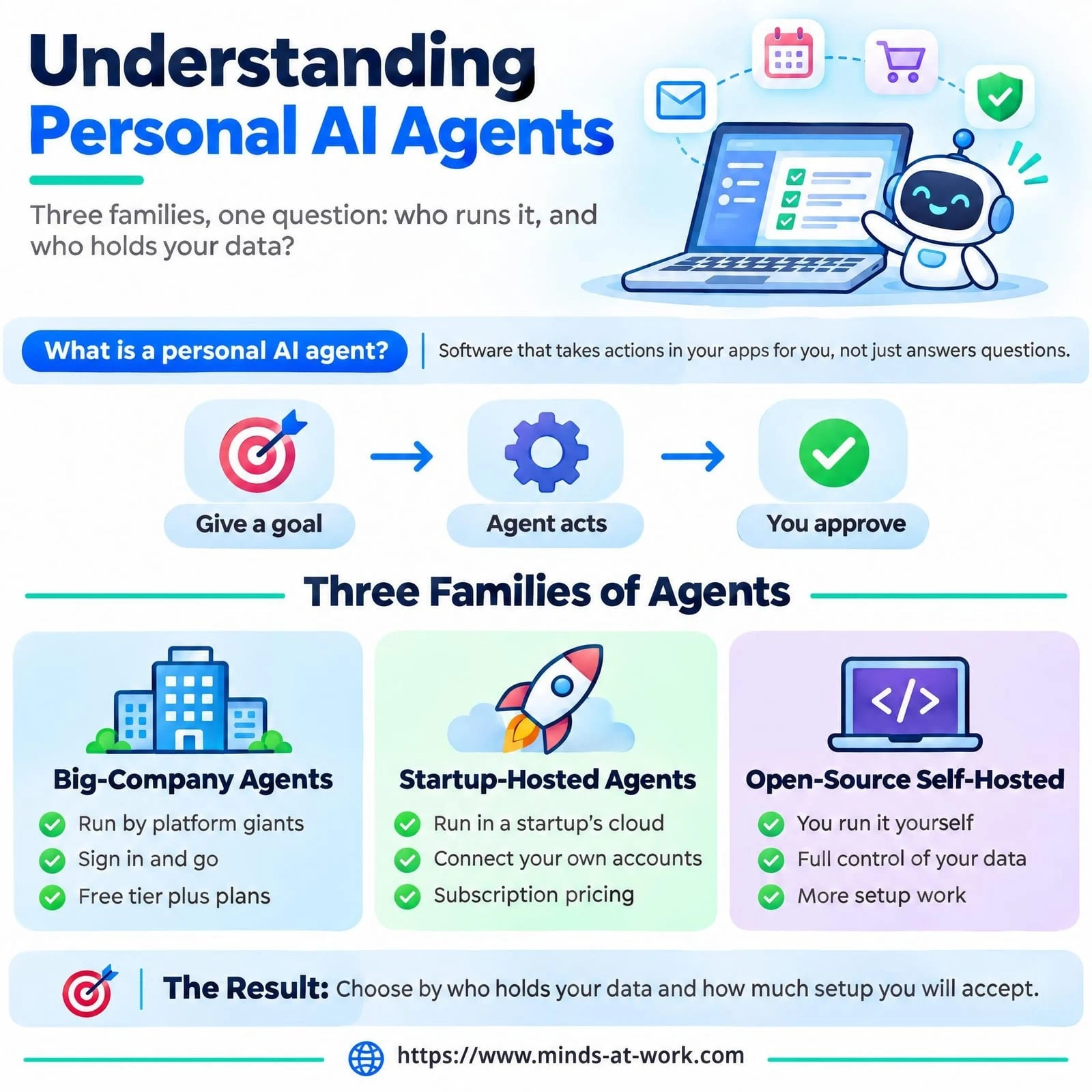
The short answer: As of November 2026, a personal AI agent is software that takes actions in your apps for you. It might send an email or book a ticket, where a chatbot would only suggest text. To choose between them, ask two questions: who runs the software, and who holds your data?
Meta launched Muse in early September 2026. It is a personal AI agent that can book travel, send emails and make purchases for you. TechRepublic reported that it keeps working after you close the app. On September 29, OpenAI announced dots, which it describes as “remarkably capable, always-on agents built to handle everything.”
On October 22, Anthropic previewed Claude Duet. TechCrunch opened its Duet story by noting that the AI world is flooded with personal and productivity assistants, with new ones launching every week.
If you run a small business or just have too many tabs open, it is hard to tell which of these tools deserves your attention. This series is my attempt to sort them out. Over 18 parts, I’ll go through 16 personal AI agents one at a time. I use the same questions for each, so you can compare them fairly. This first part sets up the vocabulary, the three agent families and the yardstick I’ll use.
You don’t need a technical background. If you can set up an email account, you can follow along, and each part stands on its own.
Personal AI agents at a glance
These are the facts most readers look for first about personal AI agents, as of November 6, 2026. The list covers the definition, the three families and the seven review questions. It also covers the trust issue and the first safety habits. The sections below give the sources and caveats for each point.
- Definition: Software that takes actions in your apps for you, where a chatbot only answers
- Why now: A cloud computer of its own, connectors into your other apps and a safer way to pay
- Series scope: 18 parts covering 16 personal AI agents, one at a time
- Three families: Big-company agents (Parts 2 to 7), startup-hosted agents (Parts 8 to 13) and open-source, self-hosted agents (Parts 14 to 17)
- How to choose: Ask who runs the software and who holds your data
- Review method: The same seven questions for every agent, ending in a short, neutral verdict
- Main risk: Trust, because an agent that acts for you can also make mistakes for you
- What to do first: Start with low-stakes tasks, keep approvals on and connect one account at a time
What is a personal AI agent?
A personal AI agent is software that carries out tasks in your other apps on your behalf. A chatbot answers, but an agent acts. Instead of handing you text to paste somewhere, an agent works inside your accounts. For a different contrast, see chatbot vs decision model. The two sections below show where the line falls and which traits most agents share.
How is an agent different from a chatbot?
A chatbot answers questions and writes drafts, while a personal AI agent takes actions in your apps. Ask a chatbot to help with an email, and it writes a draft that you copy into your inbox. A personal AI agent can open the inbox itself. It reads the thread, writes the reply and sends it, usually after asking you to approve.
You give it a goal, such as “find me train tickets for Friday” or “clear out the promotional emails.” Then it works out the steps.
| Chatbot | Personal AI agent | |
|---|---|---|
| What you give it | A question or prompt | A goal, such as “find me train tickets for Friday” |
| What it produces | Text, such as an email draft | Completed actions, such as a sent reply |
| Where it works | Inside its own chat window | Across your email, calendar, browser and shopping sites |
| Who sends the result | You, by copying the draft | The agent, usually after you approve |
What traits do most personal AI agents share?
Most of the products in this series share the four traits below. The first three describe what an agent does, and the fourth describes how it behaves around risk.
- They take actions in other apps. Email, calendars, web browsers, shopping sites and messaging apps are the common ones.
- They keep working in the background. You can hand off a task, close the app, and come back later. OpenAI says dots pursue user-defined goals continuously with minimal oversight.
- They remember you. Muse, for example, can remember information from previous conversations and use it to make suggestions without being prompted.
- They ask before doing anything sensitive. Payments and outgoing messages usually need your approval, although how strict that is varies a lot by product.
That last point is the one to watch. An agent that acts for you can also make mistakes for you. So the approval step is the first thing I look at in every review.
Why are personal AI agents arriving now?
Three ingredients arrived at roughly the same time: a computer of its own, connectors, and a safe way to pay. Add faster, more capable AI models underneath, and you get products that finally feel like assistants rather than demos. Whether they feel trustworthy is a separate question, which comes up later in this article.
Why does an agent need its own computer and connectors?
The first ingredient is a computer of its own. Muse runs inside a dedicated cloud virtual machine, which Meta calls Muse Secure VM. It has access to a browser, a file system and a terminal. A virtual machine is a computer that runs inside a data center instead of on your desk.
Claude Duet also completes tasks in the background on its own virtual machine. Think of it as a spare laptop in a data center. The agent uses it, so your own device doesn’t have to stay awake.
The second ingredient is connectors. A connector is a plug-in that lets an agent reach one of your other apps. Anthropic says Duet can connect to more than 6,000 connectors and plug-ins in the Claude Marketplace. Connectors are the doors an agent uses to reach your calendar, your documents and your business tools.
How can an agent pay safely?
The third ingredient is a way to pay safely. Muse uses Link by Stripe, which generates a one-time-use card, so your real payment details are not exposed to websites. Duet can make purchases through Stripe’s Link or Shopify’s Shop Pay. Without a safer payment path, no company would let an agent near a checkout page.
What are the three families of personal AI agents?
I sort the 16 agents into three families: big-company, startup-hosted and open-source self-hosted. I call this the three-family framework. It rests on a two-question test most people skip: who is running this thing, and who holds your data? The table below is my own framing, so individual products will break the pattern, and I’ll flag where they do.
| Big-company agents | Startup-hosted agents | Open-source, self-hosted agents | |
|---|---|---|---|
| Who runs the software | The platform company, in its own cloud | A startup, in its cloud | You, on your own machine or server |
| Who holds your data | The company, under its published terms | The startup and its cloud vendors | You, plus whichever AI model you connect it to |
| Setup effort | Sign in | Sign up and connect accounts | Install and configure |
| Typical cost | Free tier plus subscriptions | Subscriptions | Software is free; hosting and AI model usage usually are not |
Big-company agents (Parts 2 to 7)
Big-company agents come from companies you already know. They are Meta Muse, OpenAI dots, Claude Duet, Gemini Spark, Grok Bot and Microsoft Autopilot. Their advantage is reach and polish. Their cost is that you are handing a lot of personal access to a large platform.
A note on naming: Google’s agent is called Gemini Spark. In the Gemini app you’ll also see it described as Tasks. Part 5 covers both under the Spark name.
Startup-hosted agents (Parts 8 to 13)
Startup-hosted agents are run by younger companies: Instinct, Lindy, Manus Cloud Computer, Viktor, Spiritt, and Perplexity Computer. Some are built for individuals and some for teams, and a few have a clear business focus. Viktor and Spiritt, for example, are aimed at businesses. I’ve included them because a small business owner can use them to automate their own work.
Manus deserves a note, because its ownership has changed. According to Manus’s notice to its users, Meta acquired Manus on December 29, 2025. On April 27, 2026, CNBC reported that China’s National Development and Reform Commission asked Meta and Manus to withdraw the $2 billion deal.
Then, on September 1, Manus announced that it has formally resumed independent operations under its founding team. As of November 2026, Manus is not a Meta product, and I’ll cover that history in Part 10.
Open-source, self-hosted agents (Parts 14 to 17)
Open-source, self-hosted agents are projects you run yourself: OpenClaw, Hermes Agent, NanoClaw, and Moltis. You get more control over where your data lives and what the agent can touch. You also take on the setup and the security responsibility. These are the most technical of the 16. I’ll still keep the explanations at the same plain level as everything else.
How will I evaluate each personal AI agent?
Every agent article answers the same seven questions, in the same order. That lets you jump straight to the section you care about:
- What it is. One plain-English description and who makes it.
- How it works. Where it runs and what it uses to act.
- What it can do. Concrete tasks, and the tasks it can’t do.
- Price and availability. What it costs, where it’s offered, and who can get in.
- Privacy and security. What it can access, what the company says it does with that, and where reviewers found problems.
- Who it’s for. Which kind of person or business it suits.
- Verdict. A short, neutral summary. I won’t crown a winner. The conclusion in Part 18 includes a table that matches each agent to the kind of user it suits.
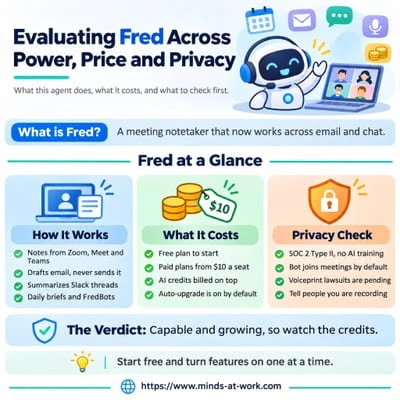
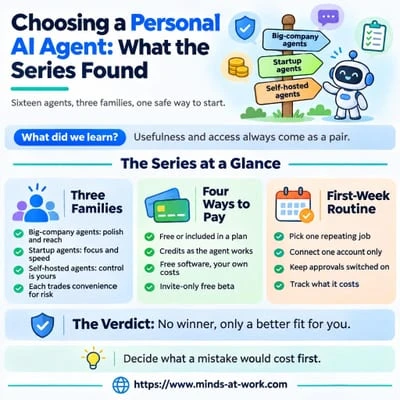
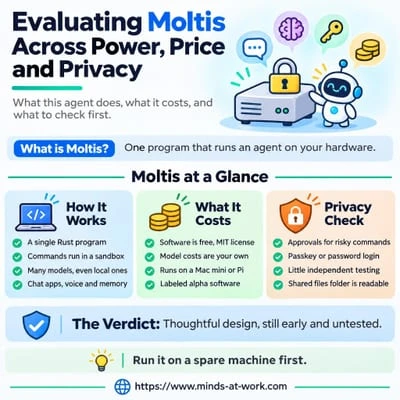
Each article also has an infographic that summarizes the agent at a glance. They are drawn in the same style, so they line up when you put them side by side.
What sources does this series rely on?
Everything in this series reflects what was publicly reported as of November 6, 2026. These products change fast. Where a company makes a claim, I’ll say it’s the company’s claim. Where a reviewer found a problem, I’ll name the reviewer. Where I can’t confirm something, I’ll say so rather than guess.
Can you trust a personal AI agent?
Trust is the issue that decides whether these tools are worth using. The more access you give an agent, the more it can do, and the more room it has to misunderstand you. Reviewers describe both sides of that trade in their write-ups, and the habits I recommend follow from what they report.
What do reviewers say about trusting an agent?
Vox’s Adam Clark Estes put it plainly. To make an agent work for you, you have to grant it permission to access a lot of personal information. To send emails, it needs access to your Gmail account. To schedule workouts, it needs your calendar. To buy things, it needs your credit card.
That cuts both ways. Estes reported that Muse started doing things he hadn’t asked for when he first used it. For example, it offered to help with random email threads. He wrote that an agent doing this without prompting isn’t helpful, it’s unnerving. He still came away believing agents can make life easier.
Pattie Maes, a professor of media technology at MIT, told Vox she isn’t gaining much time. She can’t completely trust the system or predict how it will behave. Julie Zhuo, founder of the AI company Sundial, offered the practical counterweight. Give the agent small tasks first, and once you see it succeed, trust it with bigger ones.
Which habits keep an agent safe to use?
I think Zhuo’s advice is right, and it’s the approach I’ll recommend throughout. These habits follow from it, and each one is easy to apply on day one:
- Start with low-stakes tasks. Sorting a newsletter pile is a better first job than paying a bill.
- Keep approvals switched on at first. The friction is annoying, but it’s a safety net while you learn how the agent behaves.
- Connect accounts one at a time. Don’t hand over everything on day one.
- Know how to disconnect. Before you connect a service, find out how to revoke access.
- Keep payment details out of chat threads. Gemini’s own help page warns users not to enter sign-in info, payment details or sensitive information directly into a task thread.
What changes if the agent is for a company?
Weighing an agent for a company rather than for yourself raises the same questions at a larger scale. Ask what it can reach, who approves its actions, and how access gets revoked. A Fractional CTO can help with those questions. My earlier piece on where decision models fit in an AI agent stack covers the builder’s view. It shows how agents route and escalate work.
Who is this series for?
I’m writing for three kinds of reader: curious individuals, small business owners and team leads. Each group has a different reason to care about agents, so the list below says what each one wants.
- Curious individuals who keep seeing ads for “AI that gets it done for you” and want to know what’s real.
- Small business owners who want to automate repetitive work without hiring a developer. My AI strategy for SMB owners is a good companion read.
- Team leads who are starting to hear colleagues ask whether they should be using one of these tools at work.
If you’re a developer, the open-source articles are a good starting point. They aren’t written as deep technical guides, though.
How is the series organized?
The series runs 18 parts, and each article links back to the one before it, so you can enter anywhere. Parts publish in order, so check the blog for the latest installment. The full order is:
- Part 1: This introduction
- Parts 2 to 7: Meta Muse, OpenAI dots, Claude Duet, Gemini Spark, Grok Bot, Microsoft Autopilot
- Parts 8 to 13: Instinct, Lindy, Manus Cloud Computer, Viktor, Spiritt, Perplexity Computer
- Parts 14 to 17: OpenClaw, Hermes Agent, NanoClaw, Moltis
- Part 18: Conclusion, with a comparison table and a guide to choosing
What comes next in the series?
Part 2 covers Meta Muse. By one estimate reported by Vox, it passed 8 million downloads in its first month. It’s a good first test case because it shows both sides of the trade. You see what a polished agent can do for you, and what it asks of you in return. Read Part 2 on Meta Muse when it publishes.
Frequently asked questions
These are the questions readers ask most often about personal AI agents. The answers cover how an agent differs from a chatbot, why agents launched now and the three families. They also cover safety, setup skills and how to choose. Each one repeats the main point from the sections above, so you can skim here first.
What is the difference between a chatbot and a personal AI agent?
A chatbot answers questions and writes drafts that you copy and use yourself. A personal AI agent takes actions in your other apps. It might open your inbox, reply to a thread or search for tickets. It usually asks you to approve sensitive steps like payments or outgoing messages before it goes ahead.
Why did so many personal AI agents launch in 2026?
Three ingredients arrived together. Agents got their own cloud virtual machines to work on, connectors into other apps, and safer payment methods such as one-time-use cards. Add faster AI models, and agents that finish tasks in the background became practical for the first time.
What are the three families of personal AI agents?
Big-company agents, such as Meta Muse and OpenAI dots, run in the platform company’s own cloud. Startup-hosted agents, such as Lindy and Manus Cloud Computer, run in a startup’s cloud. Open-source, self-hosted agents, such as OpenClaw, run on your own machine or server, which gives you more control and more setup work.
Are personal AI agents safe to give access to my email and credit card?
It depends on the product and on how you use it. An agent needs real access to do real work, and that access can be misused or misunderstood. Start with low-stakes tasks, keep approvals on and connect one account at a time. Learn how to revoke access before you connect anything.
Do I need technical skills to use a personal AI agent?
For the big-company and startup-hosted agents, you mostly sign in or sign up and connect your accounts. Open-source, self-hosted agents are the exception. You install and configure them yourself, so they suit more technical readers. This series explains each one in plain language either way.
Which personal AI agent should I choose?
This series won’t crown a single winner. Choose by who holds your data and how much setup you will accept, using the two-question test from this article. Part 18 will include a table that matches each of the 16 agents to the kind of user it suits.