Personal AI Agents Compared: Which One Fits You? (Part 18 of 18)
The series conclusion: what 16 personal AI agents have in common, how they charge, a table matching each to the user it suits, and a safe first-week routine.
By Dr. Sanju Abraham, Fractional CTO, investor, multiple exits. Published November 23, 2026.
This is Part 18 of 18 in the Personal AI Agents series. Missed the last one? Read Part 17, on Moltis, or browse the full series.
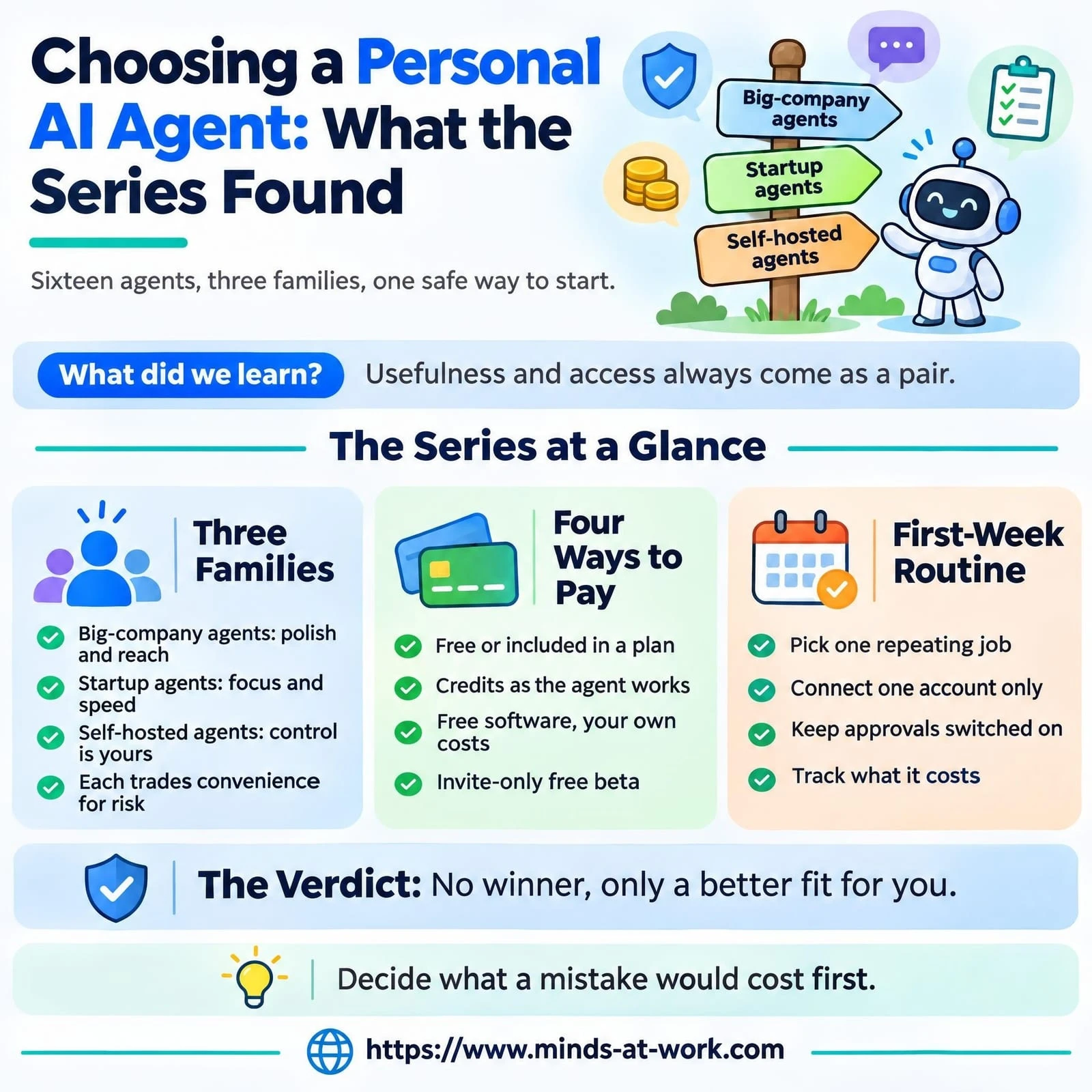
The short answer: There is no single best personal AI agent. Choose by who runs the software and who holds your data, then by how you want to pay. If you are unsure, try a free or already-included agent on one low-stakes weekly job and keep approvals on. Widen access only after it has run cleanly for a few weeks.
Over seventeen articles I have looked at sixteen personal AI agents. Each time I asked the same seven questions. What is it? How does it work? What can it do? What does it cost? What does it do with your data? Who does it suit? What do I make of it? As I promised in Part 1, I am not crowning a winner.
This last part shows the patterns, puts the sixteen side by side and suggests a sensible first step. Everything below reflects the earlier articles as of late November 2026, and these products change fast.
The 16 personal AI agents at a glance
These are the facts most readers look for first, as of late November 2026. The series reviewed 16 personal AI agents, and this list sums up what the earlier articles found. It covers the families, the prices, the safety pattern and the first step. The sections below link back to the reviews for the details and the caveats.
- Families: Big-company agents offer polish and reach, startup agents offer focus and speed, and self-hosted agents offer control
- Core trade-off: Usefulness and access are the same thing; the more an agent can reach, the more it can get wrong
- Price shapes: A plan you already have, credits, your own hosting and model bills, or a free invite-only beta
- Approvals: A spectrum, from steps you must take over yourself to automated review
- Main risk: A hidden instruction in a web page, email or document can steer an agent that holds your logins
- Independent evidence: Thin; Muse, dots, Instinct and Perplexity Computer drew real hands-on reviews, while Autopilot, Spiritt, NanoClaw and Moltis drew little or none
- No winner: There is no single best agent; choose by who runs the software and who holds your data, then by how you want to pay
- First step: One job, one account and approvals on, after a tomorrow test
What did the 16 personal AI agents have in common?
The same five patterns showed up again and again, whatever the family. They concern access, approvals, defaults, untrusted content and the thin state of independent evidence. Each pattern below links back to the articles where it appeared, so you can check the detail yourself. Some patterns do not apply to every agent, and I say where.
Why are usefulness and access the same thing?
Every agent here needs access to your email, calendar, files or accounts to be worth using. That was the central point of Part 1, and nothing later changed it. The advice Part 1 reports from Julie Zhuo, founder of Sundial, still holds: give an agent small tasks first, and trust it with bigger ones once you see it succeed.
How do approvals differ from agent to agent?
Approvals are the main safety feature, and they sit on a spectrum. Muse can require explicit approval for purchases and email. One reviewer found its permission requests constant by default. dots makes you take over for the most sensitive steps, such as changing a password or moving money. Duet shows you the action, destination and content before a sensitive send, payment or deletion.
Lindy and Viktor hold outside-facing actions for your OK, and Viktor lets admins choose which action types need it. Microsoft Autopilot is different again. An automated review checks each send, share, delete or change against your request, and only the actions that do not match wait for you.
I call this range the approvals spectrum, a MAW framing: from steps you must take over yourself, through per-action review, to automated review and settings you own.
Which defaults favour convenience?
In Grok Bot, a card saved in the Vault fills in without a separate approval each time. So you must leave the card unsaved to approve every payment.
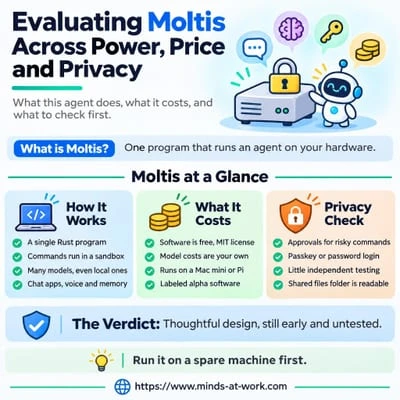
The self-hosted agents differ from one another. Hermes Agent and Moltis review risky commands by default and ask when unsure. But Hermes ships with approval for self-written skills and memory turned off. In every self-hosted agent, the approval settings are yours to check.
Why is untrusted content the hard problem?
A hidden instruction in a web page, email or document can steer an agent that holds your logins. Manus has a record of published research showing it following hidden instructions. OpenClaw has the most documented incidents, from exposed servers to poisoned skills.
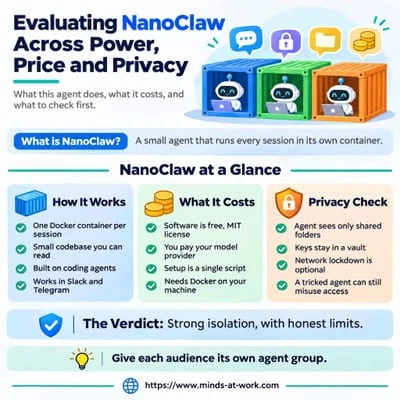
NanoClaw and Moltis respond with containers and sandboxes. A sandbox is an isolated space where commands run without touching the rest of your computer. A container is a common way to build one. Both projects say plainly that isolation limits the damage without making the agent immune.
How thin is the independent evidence?
Muse, dots, Instinct and Perplexity Computer drew real hands-on reviews. For Autopilot, Spiritt, NanoClaw and Moltis, I found little or none. Nearly everything about them comes from the vendor or project. Treat a product’s description of itself as a claim until someone else has tested it.
How do personal AI agents charge?
Prices came in four shapes, and it helps to know which one you are signing up for. The table groups the agents by how you pay. The notes under it give the details and the source for each price.
| How you pay | Agents | What to watch |
|---|---|---|
| Free with limits, or included in a plan you may already pay for | Muse, dots, Duet, Gemini Tasks, Grok Bot | Usage limits, regional availability, waitlists and plan tiers |
| Credits you spend as the agent works | Lindy, Manus, Viktor, Spiritt, Perplexity Computer, Autopilot | Bills that grow with scheduled and repeated work, so set caps |
| Free software, with your own hosting and model costs | OpenClaw, Hermes Agent, NanoClaw, Moltis | Your time, updates and security setup |
| Invite-only free beta | Instinct | Terms that allow fees later |
What do the big-company plans cost?
- dots is included with ChatGPT Pro, which Part 3 puts at $100, $200 or $500 a month, per Forbes. It is not available in the EEA, Switzerland or the UK.
- Duet has no separate price. It is included in Claude Pro, Max and Ultra during the research preview and draws on your usage allowance.
- Grok Bot has no permanent free tier. According to xAI’s pricing documentation, it comes with the Premium ($30 a month), Super ($100) and Ultra ($200) tiers of The X Subscription. Part 6, citing xAI’s FAQ, adds that existing Cursor plans and linked SuperGrok or X Premium+ accounts include it too.
- Gemini Tasks is free for personal accounts only in six countries: the US, Canada, Japan, South Korea, Australia and India. Google’s help page says it is not available in the EEA, Switzerland or the UK even with a subscription.
What do the startup and self-hosted agents cost?
- Manus sells Cloud Computer at its own monthly price, with credits on top. Autopilot bills through Copilot Credits with final pricing not yet published. Microsoft’s Autopilot page says pricing and packaging will be shared before general availability.
- Perplexity Computer spends credits at 100 credits to the dollar. A multi-step research report typically uses 350 to 950 of them, or about $3.50 to $9.50, according to the same credits page.
- Instinct is free during its invite-only beta. Its terms reserve the right to introduce fees, with notice before they become payable.
- OpenClaw, Hermes Agent, NanoClaw and Moltis are free software, so you pay for your own hosting and model use.
Which personal AI agent fits whom?
This table is my own summary of Parts 2 to 17, and each row is a starting point, not a recommendation to buy. It lists each agent’s family, the user it suits best and the main thing to watch for, with a link to the full review.
| Agent | Family | Best suited to | Watch for | Read |
|---|---|---|---|---|
| Meta Muse | Big company | Trying an agent for everyday errands at no cost | The amount of personal context it builds up about you | Part 2 |
| OpenAI dots | Big company | Existing ChatGPT Pro users with a contained project | Many human checks, memory shared with ChatGPT, and no access in the EEA, Switzerland or the UK | Part 3 |
| Claude Duet | Big company | Claude subscribers in the US who are buried in email and Slack | The waitlist, and usage limits that background work eats | Part 4 |
| Gemini Tasks | Big company | People who live in Gmail, Calendar and Drive, in the six free countries | Chat content that may train Google’s AI unless you change a setting, and no access in the EEA or UK | Part 5 |
| Grok Bot | Big company | Teams on a qualifying X, SuperGrok or Cursor plan who work in Slack | One shared computer and one set of logins for all Bots, and a saved card the Bot can see | Part 6 |
| Microsoft Autopilot | Big company | Microsoft 365 organizations in the preview, with an admin on board | Individuals cannot sign up, and there is no independent testing | Part 7 |
| Instinct | Startup | Personal errands by text, if you can get an invite | A contested privacy record and unannounced future pricing | Part 8 |
| Lindy | Startup | Small teams with repeated tasks in Slack or Google Workspace | Credits that heavy jobs use up quickly | Part 9 |
| Manus Cloud Computer | Startup | Anyone who wants a small site, API or database kept running | Credits on top of the machine fee, unsettled ownership, and published injection research | Part 10 |
| Viktor | Startup | A team in Slack or Teams that wants one shared employee-like helper | Credits for scheduled work, and one shared memory per workspace | Part 11 |
| Spiritt | Startup | Founders who want one agent to build a missing tool and run jobs | Little independent evidence, and security documents you must request | Part 12 |
| Perplexity Computer | Startup | Research and report work with sources, from a careful user | Credit costs on large builds, and training on by default for individuals | Part 13 |
| OpenClaw | Self-hosted | Technical users who want the biggest ecosystem and will lock it down | The most documented security problems in the series | Part 14 |
| Hermes Agent | Self-hosted | People who like an agent that writes its own skills and will review them | Self-written skills and memory, and commands that run on the host by default | Part 15 |
| NanoClaw | Self-hosted | People who want a container for every agent session and a small codebase | Docker as a dependency, and sessions inside a group that share one folder | Part 16 |
| Moltis | Self-hosted | Tinkerers who like a single auditable program with a sandbox | Alpha software and the least independent testing | Part 17 |
How do you choose where to start?
Start from your situation, not from the longest feature list. The groups below match common situations to the agents that suit them, using what the earlier parts found. Each one points to a first job that is cheap to try and easy to undo. I split them into individuals first, then teams and technical users.
Where should an individual start?
- You just want to see what an agent feels like. Pick a free one you can reach and give it a low-stakes job. Muse, or Gemini Tasks if you live in Google’s apps and are in one of the six countries, are the easiest on-ramps.
- You already pay for a big assistant. Check whether dots, Duet or Grok Bot is already included in your plan before you pay for anything new. Included usage is the cheapest way to try an agent.
- You mostly need research and documents. Perplexity Computer has the most independently reported run costs of any agent in the series, which makes budgeting for that kind of work easier.
- You want something that keeps running. Manus’s Cloud Computer is built for hosting a small site, API or database, and Spiritt includes its own computer in every workspace.
Where should a team or a technical user start?
- You run a small team in Slack or Teams. Look at Viktor, Lindy and Grok Bot. Viktor and Lindy offer free credits, and Grok Bot has no permanent free tier, so check what trial your account sees. Run the same weekly job on each. Then compare what it used and whether you would have caught a mistake before it went out.
- You want to own your data and don’t mind maintenance. The four self-hosted agents are the way, with NanoClaw and Moltis built around isolation and Hermes around learning. Use a spare machine and disposable accounts, as those articles advised.
- Your organization uses Microsoft 365. Autopilot is the one to ask your administrator about, with the caveat that it is still a preview.
If you are choosing for a company and not just yourself, the questions get bigger. They cover what the agent can reach, who approves its actions and how access gets revoked. That is the kind of decision a Fractional CTO can help scope, and my guide to AI strategy for SMB owners covers where to start.
What is a safe first-week routine for any personal AI agent?
A small, repeatable routine works for any of the sixteen, because the risks are the same. The first three steps set a narrow scope on day one. The last four check cost, memory and exit routes before you widen access. Run the whole routine on one agent before you try a second.
What should you set up on day one?
- Pick one repeating job with a clear result, such as a Monday summary of your calendar or a weekly report from a spreadsheet.
- Connect one account and give it the narrowest access that does the job. Use a separate email account if you can.
- Keep approvals on for anything that sends, posts, spends or deletes.
What should you check before you widen access?
- Write down what it cost, in credits, in usage allowance or in dollars, and check again after a week.
- Read what it remembers. Some agents let you see or edit their memory, but dots does not yet let you view or delete individual memories, so know which kind you have.
- Learn how to disconnect. Know how to revoke access and what is kept after you do. Instinct keeps data from non-Google services after you disconnect, and dots keeps what it already learned.
- Widen slowly. Add a second job or account only after the first has run cleanly for a few weeks.
What should you watch next?
Things in this space move quickly, so expect several facts in this series to change. These five trends are the ones I would keep an eye on over the coming months.
- Free tiers and betas change. Instinct’s terms allow fees, and Gemini Spark was paid-only until Google made Tasks free on November 17.
- Availability grows. Many of these agents are limited by country, plan or waitlist today, and those limits tend to relax.
- Ownership and terms shift. Meta announced a Manus deal, and regulators ordered it unwound. Manus said on September 1 that it had resumed independent operations. That post does not say who owns the company. Check an agent’s current terms before you connect anything you care about.
- Security keeps teaching lessons. Expect more research on hidden instructions, marketplaces for skills and shared memory, and expect vendors to answer with new controls.
- Independent testing catches up. Several agents, from Autopilot to Moltis, are still waiting for outside reviewers, and what they find will matter more than any launch post.
What is the bottom line on personal AI agents?
The most useful way to read this series is as a set of trade-offs, not a ranking. The big-company agents give you polish and reach in exchange for a lot of access to one platform. The startup agents give you focus and speed, with a shorter track record and terms that can shift. The self-hosted agents give you control, and you carry the security work yourself.
None of them is risk-free. Every one is more useful when you treat it like a new colleague. Start with a small job and set a clear boundary. Then look at the work before it leaves your hands.
What is the tomorrow test?
If you take one habit from the series, take this one. Before you connect an agent to anything, decide what you would do if it made a mistake there tomorrow. I call this the tomorrow test, a MAW framing. If you can live with the answer, go ahead. If you cannot, keep that account out of reach for now. If you want help applying it across a team, see Minds at Work and our Fractional CTO services.
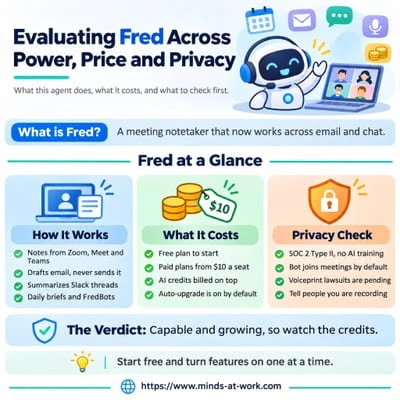
Bonus: a new agent arrived after this series wrapped up. Read the bonus article on Fred by Fireflies, a meeting notetaker that now sorts email, watches Slack and runs recurring jobs.
Frequently asked questions
These are the questions readers ask most often at the end of this series. The answers cover which agent to try first, what agents cost and whether email access is safe. They also cover self-hosting for a small business, regional availability and when to widen access. Each one repeats the advice from the sections above.
Which personal AI agent should I try first?
Try one that is free or already included in a plan you pay for, and give it a low-stakes weekly job. Muse is free with usage limits, and Gemini Tasks is free in six countries. If you pay for ChatGPT Pro, Claude or an eligible X or Cursor plan, check whether dots, Duet or Grok Bot is already included.
How much do personal AI agents cost?
It depends on the family. Big-company agents are free with limits or bundled into plans. Startup agents mostly charge in credits that scale with the work. Self-hosted agents are free software with your own hosting and model costs. Perplexity Computer, for example, spends 100 credits per dollar, and Perplexity says a research report typically uses about $3.50 to $9.50 on the same page.
Is it safe to give a personal AI agent access to my email?
It carries real risk, because a hidden instruction in an email or web page can steer an agent that holds your logins. Reduce it by connecting one account at a time and using a separate email account. Keep approvals on for sending, spending and deleting, and learn how to disconnect before you start.
Should a small business use a self-hosted AI agent?
Only if someone will own the maintenance. Self-hosted agents such as OpenClaw, Hermes Agent, NanoClaw and Moltis keep data on hardware you control, but you carry the updates and security setup. If nobody in particular will apply the next security update, choose a hosted agent instead and ask for its security documents.
Can I use these agents in the EU or the UK?
Often not yet. dots is unavailable in the EEA, Switzerland and the UK. Gemini Tasks is also unavailable there, even with a subscription. Duet is limited to US subscribers. Self-hosted agents have no regional gate, but you still need to check your own data-protection duties.
How do I know when an agent is safe to widen access?
When it has run one job cleanly for a few weeks, you have checked what it cost and you know what it remembers. You should also be able to disconnect it if you needed to. Then add a second job or account, keep approvals on for anything that sends or spends, and review the work before it leaves your hands.