Moltis Review: A Rust Agent Server Still in Alpha (Part 17 of 18)
A plain-English look at Moltis: a single-program agent server with a built-in sandbox, what it costs to run, and why its own docs call it alpha software.
By Dr. Sanju Abraham, Fractional CTO, investor, multiple exits. Published November 22, 2026.
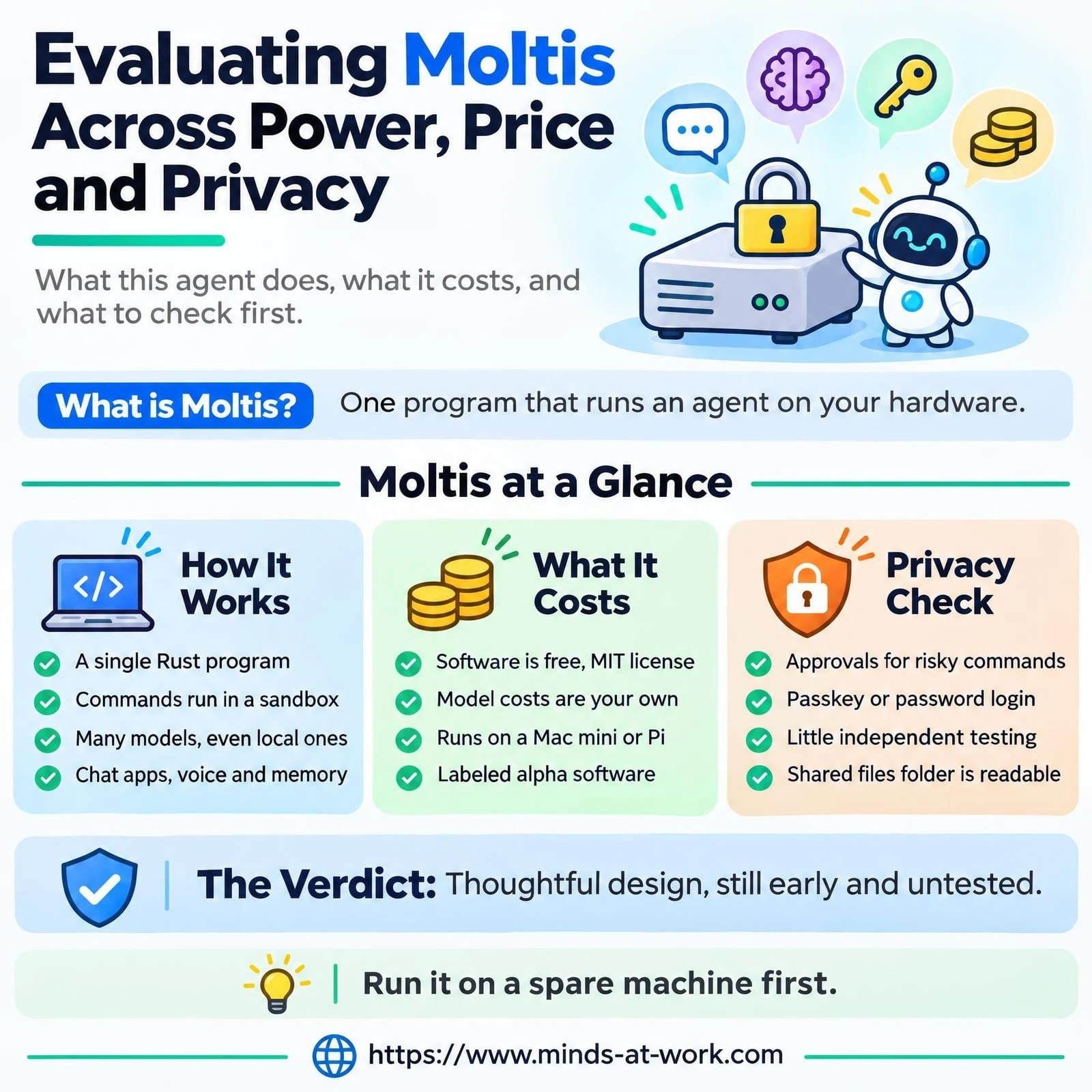
The short answer: Moltis is a self-hosted agent server. It bundles models, memory, chat-app connections and a command sandbox into a single Rust program. It suits technical users who want a small, inspectable system and accept alpha-quality software. As of November 2026, it has about 3,000 GitHub stars and little outside testing. So most of its strongest claims remain the project’s own.
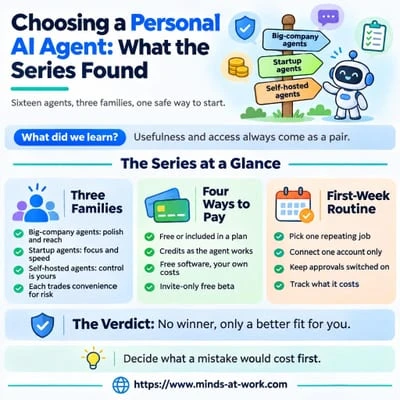
This is Part 17 of 18 in the Personal AI Agents series. Missed the last one? Read Part 16, on NanoClaw.
Moltis is the smallest open-source agent in this series by community size. It is also one of the most direct about being unfinished. It is also a different answer to the security problems OpenClaw ran into. NanoClaw says to put each agent in its own box.
I call Moltis’s answer the one-program, one-box approach, a MAW framing. The idea is to build the whole assistant as one carefully written program that runs commands only inside a sandbox. Whether that works is something you will have to take mostly on the project’s word. So this article keeps a close eye on where each claim comes from.
Moltis at a glance
These are the facts most readers look for first, as of November 2026. Moltis is a free, open-source agent server written in Rust that runs on your own hardware. The list covers the developer, the cost, the status, the sandbox and the main catch. The sections below give the sources and the caveats.
- Developer: Fabien Penso
- Cost: Free and MIT licensed; you pay your model provider unless you run a local model
- Status: “Alpha software” in its own documentation
- GitHub stars: 2,987 when I checked in November 2026, according to its GitHub page
- Runs on: A Mac or Linux machine you control, such as a Mac mini, a Raspberry Pi or any server
- Sandbox: Commands run in a container (Docker, Podman or Apple’s container system) with no network access by default
- Main catch: Without a container runtime, it falls back to the host with no filesystem isolation
- Independent testing: None found; no major-outlet review
What is Moltis?
Moltis is a free, open-source agent server that runs on your own hardware. An agent server is software that stays running. It takes goals from you through chat or a web page and carries them out with tools. The project’s GitHub page calls Moltis “a secure persistent personal agent server in Rust.” It is MIT licensed. It was created on January 29, 2026. GitHub showed 2,987 stars when I checked in November 2026, against about 395,000 for OpenClaw.
Developer Fabien Penso introduced it in a February 12 blog post. His line was “Think OpenClaw, but Rust-native.” Rust is a programming language known for catching certain kinds of memory errors before a program ever runs. Penso wrote that Moltis has no telemetry and no phone-home behavior. The README says the project recently reached the front page of Hacker News, the technology discussion site.
How does Moltis work?
Moltis is one program, so setup is short, and the first login is the step that deserves attention. After that comes a list of what the project says it includes: models, memory, chat channels, scheduling and tools. The details below come from the project’s own installation, authentication and feature pages. I did not find independent write-ups of any of them.
How do you install it and log in?
The installation page lists an install script for macOS and Linux, Homebrew, Docker images, Linux packages and building from source. The script puts the program in ~/.local/bin, a folder under your home directory.
Opening it from the same computer takes you straight in. From any other device, the authentication docs say the program prints a one-time six-digit setup code in the terminal. You enter it on a web page. There you create a password of at least 12 characters, or you register a passkey. A passkey is a phone- or device-based login that replaces typing a password. After that you talk to the agent from the built-in web interface, a desktop app or the chat apps you connect.
Which models, memory and channels does Moltis support?
- Many models. The docs list Anthropic, OpenAI, Google Gemini, DeepSeek, Mistral, Groq, xAI, OpenRouter, Ollama and local models, among others. Local models mean private jobs can stay on your machine.
- Memory. Long-term memory with search, and the ability to recall snippets and decisions from earlier sessions.
- Many channels. The website lists a web interface, Telegram, WhatsApp, Discord, Slack, Matrix, Nostr and Teams, plus voice input and output.
What about scheduling, tools and self-extension?
- Scheduling and tools. The scheduling docs describe jobs that run on a fixed interval, a cron expression or a one-off time. Each job sends the agent a prompt and can deliver the result to a chat. The README also lists calendar access through CalDAV, browser automation and tools from MCP servers, the Model Context Protocol connectors that let an agent use outside services.
- Self-extension. The agent can improve its own skills while it runs, and the docs say automatic checkpoints let you restore skill and memory changes.
- No plugin marketplace. The website presents this as deliberate, so there is no store of third-party skills to be attacked through. That reads as a response to what happened to OpenClaw’s marketplace, which you read about in Part 14.
What can Moltis do?
The list of jobs is familiar from the other self-hosted agents. It covers scheduled reports, messages across apps, research, memory and running code in a sandbox. Penso’s blog describes an assistant that can run commands, search the web and watch files. It can also schedule tasks and remember earlier conversations. The project also offers a read-only import from OpenClaw. It covers identity, providers, skills, memory, sessions, channels and MCP configuration, which makes switching less painful.
How much independent testing is there?
I did not find a major-outlet review or an independent hands-on test of Moltis. What exists is the project’s own material, Penso’s blog and one Hacker News thread. So how well it works in daily use is not independently measured.
The project’s comparison page sits on its own documentation site. It puts Moltis next to OpenClaw and Hermes Agent, using code snapshots taken in April 2026. It quotes roughly 270,000 lines of Rust for Moltis against about 1.1 million for OpenClaw. The page itself calls those line counts “a rough auditability signal, not a quality metric.”
What did people say on Hacker News?
Penso’s Show HN thread had 131 points and 52 comments when I read it. It is the closest thing to outside feedback I found, and it is a mix.
Some commenters liked the polish and the single-program install, which one called easier than OpenClaw’s setup. Others raised concerns. One was about running an unfamiliar program with your API keys. Another was that Rust does not stop prompt injection, where hidden text tricks an agent into following the wrong instructions.
One commenter reported that an agent running a cheaper model wrote invalid configuration and crashed the system. That commenter suggested backing up your config. Another user hit a missing-model error, which Penso acknowledged as a bug in the published version at the time. These are anecdotes, not measurements, but they match the project’s own alpha label.
What does Moltis cost?
Moltis itself is free, so your costs are hardware, model usage and your own time. The table lists each item.
| Item | Detail |
|---|---|
| Software | Free, MIT license |
| Install | Script (macOS and Linux), Homebrew, Docker, Linux packages or build from source |
| Model costs | Paid to your chosen provider, or free if you run a local model on your own hardware |
| Hardware | A Mac mini, a Raspberry Pi or any server you own, according to the README |
| Status | “Alpha software” in its own documentation |
There is no paid tier or hosted service that I could find. The website offers trial deployments on DigitalOcean and Fly.io. It recommends your own Mac, a virtual machine or a dedicated host for the full experience. The cost is your hardware, your model usage and your time.
Is Moltis secure?
Moltis’s security page describes layers that are easy to follow. They cover approvals, a sandbox, login protection and signed releases. The sections below go through them in turn. Then they cover the catches that the documentation itself admits, because those matter as much as the layers do. No independent security review of Moltis turned up.
How does Moltis protect commands?
- Approval for dangerous commands. By default, Moltis asks before running potentially dangerous commands, in a “smart” mode that lets safe ones through. A hard-coded list of destructive patterns, such as
rm -rf /,mkfsandDROP TABLE, always asks, even if you set approvals to never. The docs say that list applies to commands run directly on the host, not inside the sandbox. - A sandbox. Commands run in a container, using Docker, Podman or Apple’s container system, according to the sandbox docs. The sandbox has no network access by default, with an optional filtered list of allowed domains. It also has limits on memory, processor use and process count. The docs’ example limits are 512 MB of memory, one CPU and 256 processes.
How does Moltis protect logins and downloads?
- Login protection. A password or passkey protects access. Login attempts are limited to five per minute per address, and an encrypted vault protects stored secrets.
- Signed releases. Release files carry three signatures (GitHub artifact attestations, Sigstore and a maintainer’s GPG key) plus checksums, so you can verify what you downloaded.
What catch comes with the sandbox default?
The sandbox default has a catch. The sandbox docs say the default setting picks the strongest available option. The order is Apple Container, Podman, Docker, a restricted mode on the host, then nothing. So if you install Moltis without a container runtime, it falls back to the host with no filesystem isolation. Install Docker or Podman first.
What does Moltis admit about itself?
Two points of candor in the docs are worth noting. First, the introduction tells you to “treat Moltis as alpha software.” It asks you to run it in isolated environments and review enabled tools and providers. It also asks you to keep secrets scoped and rotated. Finally, it says to avoid exposing it publicly without strong authentication and network controls.
Second, a feature called Managed Files is one shared folder. Every agent session with tool access can read it, including sessions started from chat apps. The security page warns you not to upload health or other private data unless every session and channel operator may read it. The default mount is read-only, and one setting hides the folder from container sandboxes.
Where do the slogans and the details differ?
There is also a small gap between the marketing and the details. The docs introduction lists “No Unsafe Code” as a feature and says unsafe code is denied workspace-wide. The comparison page is more precise. It says Moltis has a small unsafe surface. That surface is limited to Swift links, local-model wrappers and precompiled WASM and runtime boundaries, and the core agent and gateway stay in safe Rust. The precise version is a reasonable design. It is a reminder to read past the slogan.
How does Moltis compare with the agents so far?
Moltis differs from the earlier self-hosted agents in what it puts its weight on. The table shows how it differs from each of the three, and each row points back to the full review.
| Agent | Where it differs from Moltis |
|---|---|
| OpenClaw (Part 14) | Far larger community and more integrations. Moltis is a deliberate rewrite with no skills marketplace, easier to run as one program, with far less real-world testing. |
| Hermes Agent (Part 15) | Puts its weight on a learning loop that writes reusable skills, and has a large community. Moltis puts it on being one auditable program with a sandbox by default. |
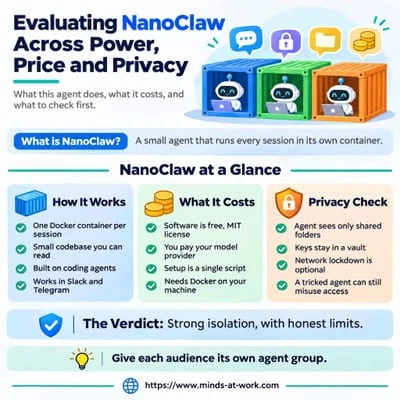
| NanoClaw (Part 16) | Both treat isolation as the main security idea. NanoClaw uses a separate container per session and is changed by editing code. Moltis keeps one server and a sandbox for command execution, with approvals and passkeys around it. |
What should I do before I start?
Moltis is alpha software, so the safest plan is to treat it as an experiment and add trust slowly. These steps follow the project’s own advice and the catches described above.
- Treat it as an experiment on a spare machine, as the project itself recommends.
- Install Docker or Podman before Moltis, so commands run in a sandbox and not on the host.
- Keep it reachable only from your own network, and set a strong password or passkey.
- Leave approvals on and keep the sandbox’s default of no network access.
- Think twice about the Managed Files folder before putting anything private in it.
- Use a model account with a spending limit, or a local model for private jobs.
If you are weighing agents like this for a business, the same discipline applies to any pilot. My AI strategy guide for SMB owners covers how to scope an experiment. A Fractional CTO can help you decide who should run it and with what data.
Who is Moltis for?
Moltis suits a narrow group of readers, and the two lists below show which side you are likely on. Moltis fits you if:
- You like the idea of one program that you can inspect, and you are comfortable with a terminal.
- You want a self-hosted agent with a sandbox by default and local-model support.
- You accept alpha software and a small community.
Moltis is a weaker fit if any of these describe you:
- You want something proven by lots of users or by outside reviewers.
- You want a polished app with a support team behind it.
- You plan to put sensitive data in it right away.
What is the verdict?
Moltis is a thoughtful, security-minded take on the self-hosted agent, and its documentation is refreshingly frank about being alpha software. It also has little independent testing that I could find, so its strongest claims remain the project’s own. If you are curious, run it on a separate machine with disposable accounts. Read the security page before the install guide.
Frequently asked questions
These are the questions readers ask most often about Moltis. The answers cover its price, its safety, how it differs from OpenClaw, what it needs to run and whether it sends your data anywhere. Each answer draws on the same sources as the sections above, so the caveats match. Where the project’s documentation is the only source, I say so.
Is Moltis free?
Yes. The software is free and MIT licensed. You still pay for the AI models it calls through your chosen provider, unless you run a local model on your own hardware. Hardware and your time are the other costs. I found no paid tier or hosted service, only trial deployment options on DigitalOcean and Fly.io.
Is Moltis safe to use?
Treat it with care. Moltis runs commands in a container with no network by default. It asks before dangerous commands and protects login with a password or passkey. Its own documentation also says to treat it as alpha software. It advises running it in isolated environments and not exposing it publicly without strong authentication. No independent security review was found.
How is Moltis different from OpenClaw?
Moltis describes itself as “Rust-native” and ships as one program. OpenClaw is far larger and has a big skills marketplace. Moltis has no plugin store, a much smaller community and fewer integrations. It can also import OpenClaw data in read-only mode. That covers identity, providers, skills, memory, sessions, channels and MCP configuration.
What do I need to run Moltis?
You need a Mac or Linux machine you control, according to the README. A Mac mini, a Raspberry Pi or any server will do. Install a container runtime like Docker or Podman so commands run in the sandbox. Then use the install script, Homebrew or a Docker image. You also need an account with a model provider, or a local model.
Does Moltis send my data anywhere?
Developer Fabien Penso says Moltis has no telemetry and no phone-home behavior. Your prompts still go to whichever model provider you choose unless you run a local model. The README also lists optional instrumentation such as Langfuse and OTLP, so check your configuration. Chat-app connections like Telegram or Slack naturally send messages through those services.
What comes next?
In Part 18, I’ll step back from the individual agents. I’ll pull the series together with a comparison table that matches each of the 16 agents to the kind of person it suits. I’ll also add a short guide to choosing where to start. It ends with a safe first-week routine, so you can try one agent without taking on much risk.