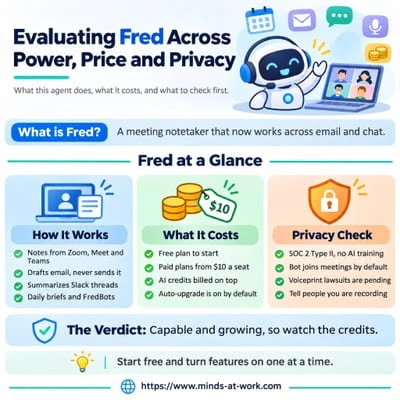
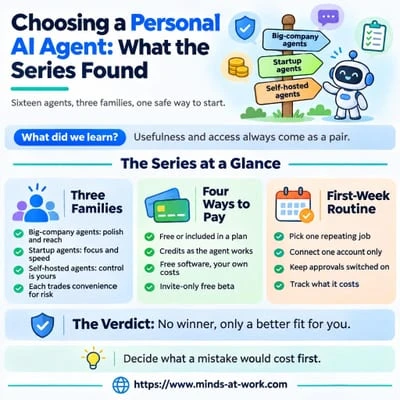
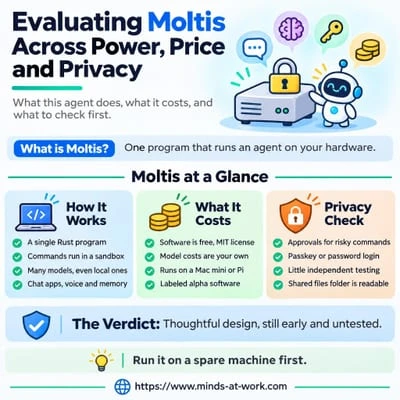
Gemini Spark (Tasks) Review: Google's Free Agent (Part 5 of 18)
A plain-English look at Google's Gemini Spark, now called Tasks: what it does, where it is free, what reviewers found, and the privacy trade-offs.
By Dr. Sanju Abraham, Fractional CTO, investor, multiple exits. Published November 10, 2026.
This is Part 5 of 18 in the Personal AI Agents series. Catch up with Part 4, on Claude Duet, or start from Part 1, the introduction.
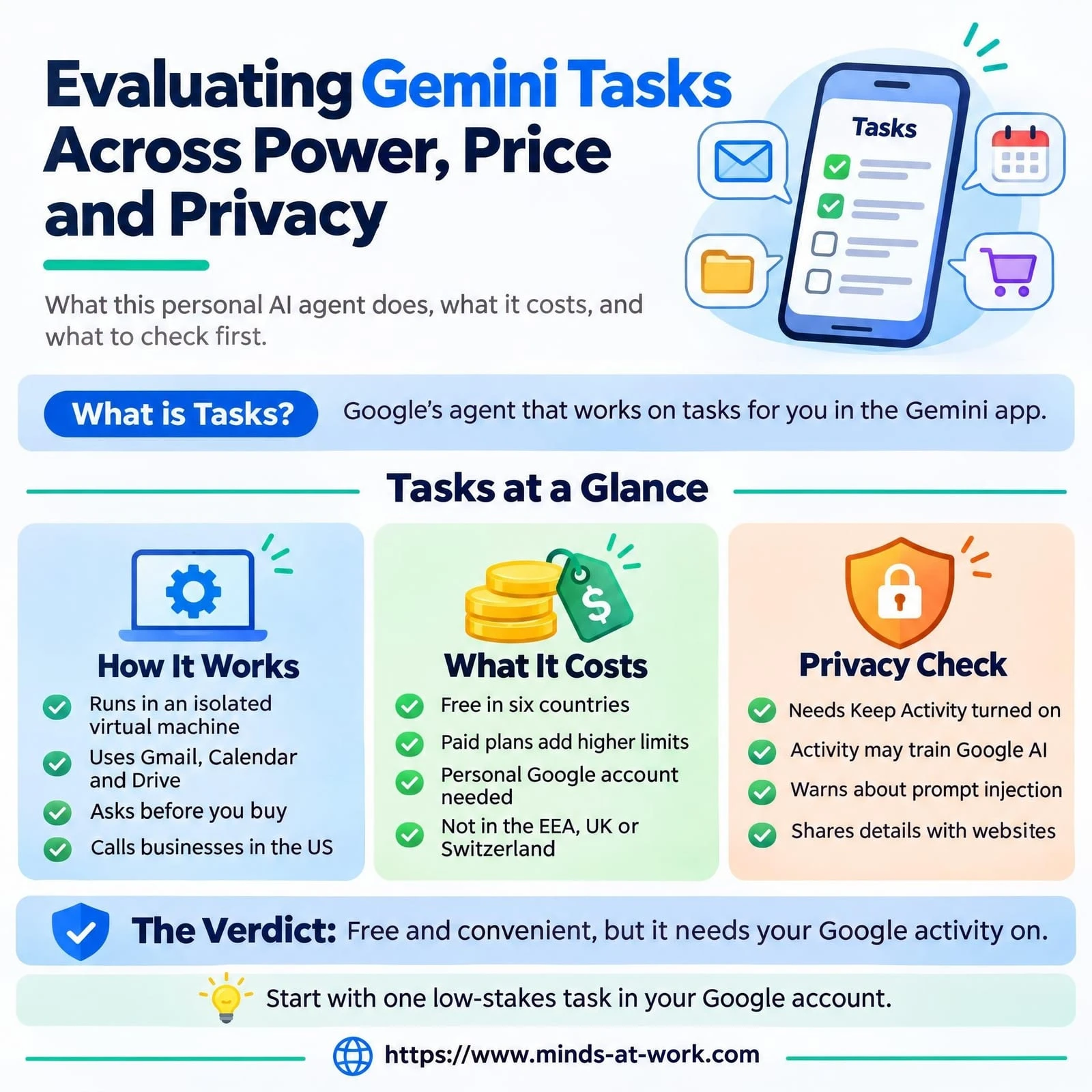
The short answer: Gemini Tasks, formerly Gemini Spark, is Google’s personal AI agent inside the Gemini app. As of November 17, 2026, it is free for personal Google accounts in the US, Canada, Japan, Korea, Australia and India. It works best if your email, calendar and files already live in Google. Google also says your chat content may be used to train its AI unless you change a setting.
Google’s agent has had two names in six months, which is worth knowing if you search for it. It launched in May as Gemini Spark, available only to paying subscribers. On November 17 Google renamed it “Tasks” and made it free in six countries. This article uses both names because reviews from before and after the change use different ones.
Gemini Tasks at a glance
These are the facts most readers look for first, as of November 17, 2026. Gemini Tasks, formerly Gemini Spark, is Google’s personal AI agent inside the Gemini app. The list covers the name change, the price, where it works, the approval rule and the main privacy trade-off. The sections below give the sources and the caveats.
- Maker: Google; renamed from Gemini Spark to Tasks on November 17
- Free in: The US, Canada, Japan, Korea, Australia and India, for personal Google accounts, according to Google’s release notes
- Elsewhere: Google AI Pro at $19.99 a month or Ultra at $99.99 a month, according to Google’s AI plans page
- Not available in: The EEA, UK, Switzerland and Nigeria
- Works on: Gmail, Calendar, Drive and other connected apps, with your own Chrome or a Google-run cloud browser
- Approvals: It asks for confirmation before purchases and financial transactions, and you can set an “Always allow” rule for routine things
- Main privacy trade-off: It needs your Gemini activity saved, and Google says chat content may be used to train its AI unless you turn that setting off
- Testing: Most hands-on reviews were of the paid Spark version
What is Gemini Tasks?
Gemini Tasks is Google’s way to hand off work to Gemini and move on with your day. An agent here means software that takes actions for you, not just answers questions. Josh Woodward, who leads Gemini and Labs at Google, wrote that it is built for anyone with tasks piling up during classes, meetings and school drop-offs. You find it in the Gemini app by switching the toggle on the home screen from “Chat” to “Tasks,” per The Verge.
Google’s pitch is simple. If your email, calendar, passwords, photos, files and payment cards already live in Google’s ecosystem, Gemini can be a good personal assistant. That data does not have to go anywhere else. Unlike a standalone agent app, Tasks lives inside the Gemini app.
| Gemini Spark | Gemini Tasks | |
|---|---|---|
| When | Launched in May | Renamed November 17, 2026 |
| Who could use it | Paying subscribers only | Free for personal accounts in six countries |
| Where most reviews come from | Hands-on tests by WIRED and The Verge | Most hands-on reviews predate it |
How does Gemini Tasks work?
When you assign Gemini a task, it works in a virtual machine that Google says is dedicated to your account. A virtual machine is a computer that runs in a data center and that you reach over the internet. Google says Tasks uses Google Cloud’s Agent Compute Engine. The machine is hardware-isolated and never shared with other users, as Google’s blog puts it.
Google’s help page also describes two ways Tasks can browse. It can use your own Chrome browser, which means the same signed-in sites you use. Or it can use a remote cloud browser and computer run by Google.
While it works, you can jump in with more instructions. Google’s blog says it is designed to pause and check with you before critical steps. Per Google’s help page, it asks for confirmation before purchases and financial transactions. For routine things you already trust, such as adding cereal to a grocery cart, you can set an “Always allow” rule so it does not keep asking.
Tasks connects to Gmail, Calendar, Drive and other Google apps, plus connected third-party apps. It can also run on a schedule, per the Bot Grades review.
What can Gemini Tasks actually do?
The November update added several features in the US. According to Google’s release notes, US users get three new options. They can have Gemini call businesses, buy items with Google Pay after explicit approval, and start tasks by emailing gemini@google.com.
The Verge adds that calls compare prices and check inventory, and that Gemini can sign into accounts that support Google Password Manager. Bot Grades adds that Google Pay checkout works within a spending cap you set. It also says Gemini tells people it is an AI when it calls, and that calling is not offered in a handful of US states. Most hands-on reviews were of the Spark version, so they predate these additions.
What did WIRED find?
WIRED’s Reece Rogers gave Spark access to Gmail, Docs and Calendar and asked it to help plan a birthday party. According to WIRED, Spark found a real karaoke reservation. It produced a five-page itinerary with a guest list, venue rules and nearby restaurants. It recommended 15 invitees, the exact capacity of the room.
The reviewer found the result impressive and the guest-list reasoning unnerving. WIRED also warned against giving the agent access to a whole inbox because of prompt injection. Prompt injection is when hidden instructions in an email or website trick an agent.
What did The Verge find?
The Verge’s Jay Peters asked Spark to pull grocery totals from a budget spreadsheet and draft an email. He also had it set monthly calendar reminders and build a preschool checklist in a Google Doc. According to The Verge, it mostly succeeded, with small mistakes. It linked a trailer rather than an episode, and a wife’s email address was missing from a draft.
He still found himself checking on it constantly. In his hands-on review, he said he did not think Spark was good enough on its own to justify the $99.99-a-month Ultra plan it then required. Google itself says tasks can fail or “hand the screen back to you” on some sites, because websites are still adapting to agents.
What is the ecosystem-fit test?
Reviewers broadly agreed that Spark and Tasks work best for people who are deep in the Google ecosystem. Jay Peters noted that Spark works best with Personal Intelligence turned on, a Gemini setting that lets it draw on your Google data such as Gmail. He also noted that he had a Google account for about two decades.
I call this the ecosystem-fit test: an agent that lives inside one company’s apps is only as useful as the share of your life already in those apps. The more of your email, calendar and files sit in Google, the more Tasks has to work with. You also hand less to anyone new. Ask three questions:
- Do your email, calendar and files already live in Google?
- Does your country get Tasks free, or would you need a paid plan?
- Are you comfortable with Tasks saving your Gemini activity?
How much does Gemini Tasks cost, and where is it available?
As of November 17, 2026, Tasks is free for personal Google accounts in six countries. Google’s release notes and help page list the same six countries. Tasks runs on Google’s new Gemini 4 Hydrogen model, per Google’s blog.
| Where | What you need |
|---|---|
| US, Canada, Japan, Korea, Australia, India | A personal Google account; no paid plan required |
| Elsewhere (except the countries below) | Google AI Pro or Ultra |
| EEA, UK, Switzerland, Nigeria | Not available |
Google’s AI plans page lists Google AI Pro at $19.99 a month and Ultra at $99.99 a month, with expanded access to Tasks on both. Bot Grades also notes that phone calls, Google Pay checkout, texting and email hand-off are US only.
Is Gemini Tasks safe for your data?
Google’s own blog stresses data protection, while its help center is blunter about the risks. Beyond the isolated virtual machine, Google’s blog lists prompt-injection filters that scan search results and web pages. It also lists Google Safe Browsing to limit which links Gemini can open. You can change task settings, disconnect Google and third-party apps, or delete chat history at any time.
What do Google’s help pages say about your activity?
The details in Google’s own help pages are the ones to read. They show what you give up when you switch Tasks on.
- Tasks needs your Gemini activity saved. Google’s help page says History must be on. Its task page says tasks are only listed in the sidebar with Keep Activity on.
- Google’s activity page says you control whether your chat content is used to train generative AI models. It says this is on by default for adults and requires History on.
- Per the same activity page, history older than 18 months is deleted by default. You can choose 3 or 36 months, or not to auto-delete.
The Verge’s Jay Peters noted that Google promises Gemini “doesn’t train directly” on your Gmail inbox with Personal Intelligence on. He added that you still have to trust Google as a steward of your data.
What risks do Google’s help pages list?
Google is open about three risks, and each one comes from its help page.
- Google’s help page lists prompt injection as a risk. Its example is that malicious instructions could lead an agent to leak private information from emails or documents.
- According to the same help page, to complete tasks Gemini shares necessary information, such as your name, address or files, with websites and third parties.
- The page advises not typing passwords or payment details into the task thread. It also warns that a scheduled task running while you are offline may complete an unintended action.
How does Gemini Tasks compare with the other agents in this series?
Tasks has a distinct profile set against the first four parts. Each comparison below points back to the full review, so you can read the detail where it matters to you.
- Against Muse (Part 2): both are free to start and both work on a cloud computer. Muse asks for a Meta account and builds its own profile of you. Tasks works from the Google account you already have. That is convenient if your life is already in Gmail and Calendar, and a bigger bet if it is not.
- Against dots (Part 3): dots needs a paid ChatGPT plan, and Forbes lists ChatGPT Pro at $100, $200 or $500 a month. Tasks is free in six countries. Reviewers found dots stronger when given access to a whole computer and weaker on websites that block cloud browsers. Google says Tasks can use your own Chrome or a remote browser.
- Against Duet (Part 4): Duet is limited to a US waitlist for paying Claude subscribers. Tasks is open to anyone with a personal Google account in six countries, though Google labels the feature experimental.
What should you check before you turn Gemini Tasks on?
A few settings are worth checking first, based on Google’s own guidance. None of them takes long, and each one limits a risk from the sections above.
- Decide which apps to connect. You can disconnect Google and third-party apps at any time, so start with one.
- Keep the “ask before critical steps” behavior, and use “Always allow” only for routine things you would be happy to see happen without asking.
- Do not type passwords or payment details into the task thread, which Google advises against.
- Check your activity settings. Tasks needs your history on, and you control whether chats train Google’s models.
For a wider frame on adopting AI tools in a small company, see AI strategy for SMB owners.
Who should use Gemini Tasks?
Gemini Tasks suits some readers well and others poorly. The two lists below show which group you are likely in, based on where you live, how you work and what you want from an agent.
Tasks fits you if:
- You use Gmail, Calendar and Drive daily and want an agent that already knows them.
- You live in one of the six free countries and want to try an agent without paying.
- You like checking in on results rather than watching the agent work.
It is a weaker fit if:
- You live in the EEA, UK or Switzerland, where it is not available.
- You prefer your chats not be used to train Google’s AI models. Google says you control that setting, so check it before you start.
- You want a track record. Bot Grades rates its reliability C+ and says it will revisit once owners report on the free version.
So, is Gemini Tasks worth trying?
Tasks is the most accessible agent in the series so far, because it is free and it sits inside an app you may already use. The trade-off is that its best features depend on handing Google a lot of context. Google says your chat content may be used to train its AI unless you change a setting.
My advice follows the ecosystem-fit test. For a first try, use Tasks on something low-stakes that lives in your Google account, such as a weekly summary of your calendar. Leave purchases and phone calls for later.
If you are weighing agents like this for a team and want a second opinion, a Fractional CTO can run that call with you. Every review so far lives in the Personal AI Agents archive.
Frequently asked questions
These are the questions readers ask most often about Gemini Tasks. The answers cover the rename, the price, where it works, what it does without asking, what it does with your data and how it compares with OpenAI’s dots. Each one uses the same sources as the sections above, so the figures and caveats match.
What is Gemini Spark, and why is it now called Tasks?
Gemini Spark is Google’s personal AI agent inside the Gemini app. It launched in May for paying subscribers only. On November 17 Google renamed it Tasks and made it free for personal accounts in six countries. You reach it by switching the toggle on the Gemini home screen from “Chat” to “Tasks.” Reviews written before the rename still call it Spark.
Is Gemini Tasks really free?
Yes, in six countries. As of November 17, 2026, a personal Google account in the US, Canada, Japan, Korea, Australia or India gets Tasks with no paid plan. Elsewhere you need Google AI Pro or Ultra, which Google’s plans page lists at $19.99 a month for Pro and $99.99 a month for Ultra. Paid plans carry higher usage limits.
Is Gemini Tasks available in Europe or the UK?
No. Google lists Tasks as not available in the European Economic Area, the UK, Switzerland or Nigeria. Outside those places and the six free countries, you can use it with a Google AI Pro or Ultra plan. Phone calls, Google Pay checkout, texting and email hand-off are US only, so check your location before building a routine around it.
Can Gemini Tasks buy things or call businesses without asking?
Google says Tasks is designed to pause and check with you before critical steps. It also asks for confirmation or pre-approval before clicking “Buy.” You can set “Always allow” for routine jobs. In the US it can call businesses and pay with Google Pay within a spending cap you set. Google advises not typing passwords or payment details into the task thread.
Does Gemini Tasks use my data to train Google’s AI?
Tasks needs your Gemini activity saved. Google’s activity page says you control whether chat content trains its generative AI models. It is on by default for adults and requires History on. The Verge reports Google promises Gemini “doesn’t train directly” on your Gmail inbox with Personal Intelligence on. Google’s activity page says history is deleted after 18 months by default, with 3 months, 36 months or never as options.
How does Gemini Tasks compare with OpenAI dots?
Tasks is free in six countries. Dots needs a paid ChatGPT plan, and Forbes lists ChatGPT Pro at $100, $200 or $500 a month. Reviewers found dots stronger with access to a whole computer. Tasks works from the Google account you already have and can use your own Chrome or a remote browser. Part 3 covers dots in full.
Up next
In Part 6, I’ll look at Grok Bot from xAI, an agent that works inside Slack like a teammate. It runs on a cloud computer shared across all your bots, which makes its security design unusual. Part 6 is on the way.
The review covers what Grok Bot does, what it costs and what xAI’s own documentation says about approvals and privacy. It also covers what the few independent testers found, so you can judge how much of the product has been checked outside xAI.