Manus Cloud Computer Review: A Computer the Agent Keeps (Part 10 of 18)
A plain-English look at Manus and its Cloud Computer: what it is, what it costs, the Meta ownership story, and the published security research.
By Dr. Sanju Abraham, Fractional CTO, investor, multiple exits. Published November 15, 2026.
The short answer: Manus Cloud Computer is a persistent cloud server running Ubuntu Server that the Manus agent can use. It can host sites, APIs and databases, even when you are not in a session. It suits people who want something to keep running without their own server. As of November 15, 2026, it is also the agent in this series with the most open questions. There is a Meta deal that was unwound, a record of published prompt-injection research, and credit pricing that frustrates reviewers.
This is Part 10 of 18 in the Personal AI Agents series. Missed the last one? Read Part 9, on Lindy.
Manus is one of the older names in this series, and its Cloud Computer is a different idea from most of what we have covered. Most agents borrow a computer for a task. This one gives you a rented server that Manus can use and that keeps running when you close the app. It also has the most complicated ownership story of any agent here, so the article starts there.
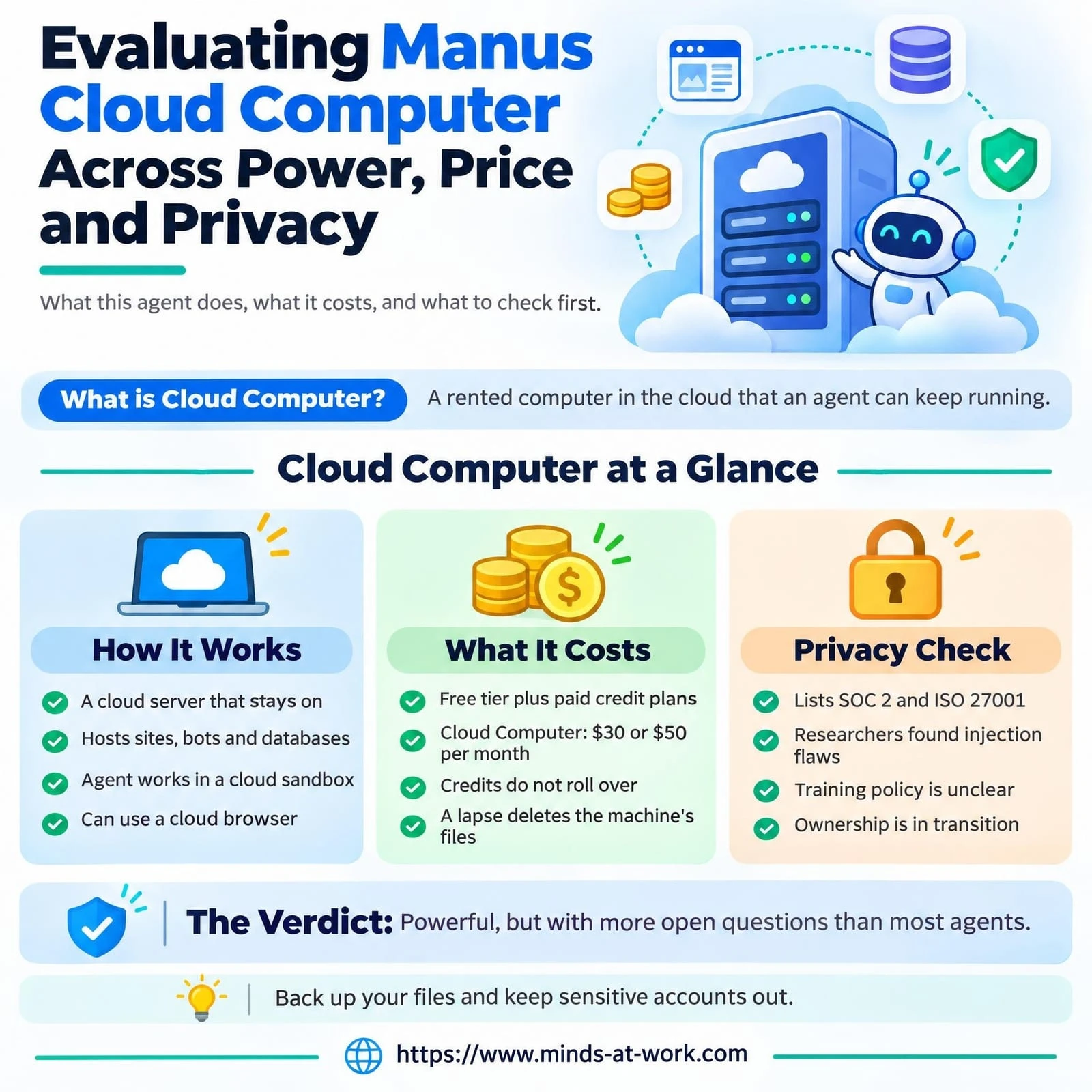
Manus Cloud Computer at a glance
These are the facts most readers look for first, as of November 15, 2026. The list covers what Cloud Computer is and what it costs. It also covers what happens if you stop paying, who owns Manus and the main security risk. The sections below give the sources and the caveats.
- What it is: A persistent cloud server running Ubuntu Server that the Manus agent can use, even when you are not in a session
- Standard plan: $30 a month with 2 vCPUs, 4 GB RAM and 70 GB storage, according to Manus’s help center
- Advanced plan: $50 a month with 2 vCPUs, 8 GB RAM and 120 GB storage, according to Manus’s help center
- Credits: Plan credits reset each month rather than rolling over
- If the subscription lapses: The machine and its files are deleted; only final outputs delivered in chat remain
- Ownership: Not publicly stated; Manus said on September 1, 2026 that it had resumed independent operations after the Meta deal was unwound
- Main risk: Four research groups have shown Manus following hidden instructions
- Best for: People who want something to keep running without their own server
Who owns Manus?
Manus has the most complicated ownership story in this series, and the public record stops short of a clear answer. Meta announced a deal, Chinese regulators pushed back, and Manus then said it would operate independently again. The two sections below give the sequence, using Manus’s own posts and CNBC’s reporting.
What happened to the Meta deal?
Meta announced an acquisition of Manus on December 29, 2025, which CNBC reported was valued at $2 billion. Manus’s developer, Butterfly Effect, was founded in 2022 and later moved its headquarters to Singapore, according to Wikipedia. Chinese regulators then reviewed the deal. On April 27, 2026, China’s National Development and Reform Commission said it had asked Meta and Manus to withdraw the transaction.
What has Manus said since?
On August 11, 2026, Manus published a post titled A Note to Our Users. The post said Manus “will soon return to operating as an independent company” and explained what the separation meant for user data. Data generated by certain users on or after December 29, 2025, was scheduled for deletion on August 23 and 24, with a backup window beforehand. Manus said this was to meet regulatory requirements and was not the result of a security incident. It also says its data is stored in the US and Singapore.
On September 1, 2026, Manus posted “Manus Resumes Independent Operations,” saying its founding team will continue to lead the company. It calls itself an “independent agent lab.” That post does not address who owns the company. CNBC reported in August that Meta still owned Manus for the time being. I found no public statement on the current ownership, and Drel’s review of Manus reaches the same conclusion.
What are Manus and Cloud Computer?
Manus is a general-purpose AI agent: software that takes a goal and carries out the steps itself. You give it a goal, and it plans the work, browses the web, writes and runs code in a cloud machine, and reads documents and email through connectors. Then it hands back a result, per a security review by Drel.
What is Cloud Computer?
Manus Cloud Computer is a persistent cloud server running Ubuntu Server, per Manus’s help center. It can continuously run services outside your active Manus sessions, and every plan includes a dedicated public IP address. The two plans are aimed at hosting things such as active websites, APIs, and open-source tools like WordPress or Metabase. They also suit larger persistent team databases.
For a non-developer, think of it as renting a small computer in a data center that Manus can set up and look after, and that stays on after you leave. I call this the borrow-or-keep distinction, a MAW framing. Most agents borrow a computer while they work. Cloud Computer is one you keep and pay for.
What is Cue?
Manus also has a separate app called Cue, launched on September 28, 2026. The Next Web reported, based on Manus’s own statements, that each agent in Cue has its own email address, phone number, wallet and computer. At launch it was in early access, free with an invite code.
How does Manus work?
Manus works through four surfaces, and each one carries a different level of risk, according to Drel’s review:
- A cloud sandbox per task. An isolated cloud virtual machine with networking, a file system, a browser and software tools. Manus says the agent has full control inside it, including root access.
- A cloud browser. You can log into your own accounts in it so Manus can act on them, and those signed-in sessions are reused for later tasks.
- Connectors. Linked services such as email.
- Browser Operator. A Chrome and Edge extension that lets Manus work in your local browser, with your existing logins.
Manus says it does not store passwords. In the cloud browser, you complete multi-factor prompts through a “Take Over” step, per Drel.
What can Manus do?
Manus can research, build documents and websites, and run scheduled automations. Independent reviewers tend to praise what it finishes and complain about what it costs. An August 2026 Emergent review said a single app build “ate roughly 1,000 credits” and that the meter climbed with “no live alert” about how fast. Emergent also said many users treat Manus output as a strong first draft rather than a final deliverable.
A Preuve review said credits run out faster than the plan price suggests. Preuve also quoted an App Store reviewer who said one website prompt used over 6,000 credits in April 2026. That is one user’s report, not a measured average.
Cloud Computer’s practical use is hosting. If you want a small website, a bot, a script or a database to keep running without your own computer, it can host them and Manus can maintain them.
What does Manus Cloud Computer cost?
Manus has a free tier, subscription plans paid in credits, and Cloud Computer, which has its own plans. Plan prices come from Manus’s membership pricing page, and the Team price matches Manus’s Teams page. Cloud Computer prices come from Manus’s Cloud Computer help article. I read all three in November 2026. Manus says its help-center prices are subject to what its pricing page shows, so check there before you pay.
What do the plans cost?
| Item | Price | What you get |
|---|---|---|
| Free | $0 | 300 credits a day, one task at a time, two scheduled automations |
| Pro | From $20 per month | 4,000 credits a month; 20 tasks at once; 20 scheduled automations |
| Pro (higher tier) | From $40 per month | 8,000 credits a month |
| Team | From $20 per seat per month | 4,000 credits per seat per month, shared in a team pool; adds SSO and a data-training opt-out |
| Cloud Computer, Standard | $30 per month | 2 vCPUs, 4 GB RAM, 70 GB storage |
| Cloud Computer, Advanced | $50 per month | 2 vCPUs, 8 GB RAM, 120 GB storage |
What fine print should you know?
Two pieces of fine print matter. The first is that plan credits reset each month rather than rolling over, and complaints center on credits. Trustpilot showed Manus at 1.2 out of 5 from 214 reviews when I checked in late November 2026. Reviewers cited billing, unused credits expiring and credits used up by failed tasks. Trustpilot notes that Manus has not invited customers to review, so the sample may not be representative.
The second is what happens if your Cloud Computer subscription lapses. Manus’s help center says the machine shuts down, and the working files, installed tools and databases on it are deleted. Final outputs delivered in chat remain. Manus recommends backing up before canceling.
Is Manus safe and private?
Manus lists four security certifications on its security page, according to Drel’s security review, dated November 17, 2026. They are SOC 2 Type 1 and Type 2, ISO 27001 and ISO 27701. Drel also noted that the page does not state the scope or period of the reports. A SOC 2 report is an outside audit of a company’s security controls, and the scope tells you which systems it covered.
Has Manus been shown to follow hidden instructions?
Yes, by four independent research groups. The harder question is prompt injection, where hidden instructions in a web page, email or document trick an agent into acting on them. Drel’s review lists these findings:
- Embrace The Red showed that hidden instructions in a PDF led the agent to expose its VS Code Server to the internet and send the URL and password to an attacker’s site. The mitigation status was unclear at publication.
- Aurascape published “SilentBridge” in February 2026, describing three zero-click attacks that could leak Gmail data through the connector and give a root shell. Manus reportedly deployed mitigations for the critical issues in November 2025.
- CodeAnt AI reported that an instruction set by a shared project’s owner could run in an invited user’s sandbox and give control of that user’s desktop. CodeAnt’s post says it reported the issue to Meta’s bug bounty program and that it was fixed on September 16, 2026.
- Salt Labs’s findings were reported in the press on September 24, 2026: an email the agent read could lead to stolen tokens for linked accounts, and it was reported as patched. Drel says it knows of this one only through press coverage.
Is this one bug or a design problem?
Drel’s conclusion is that these findings describe a property of the design rather than one bug. The agent reads untrusted content, holds signed-in sessions and tokens, and can send data out. Each fix closes a route. Drel also notes that ownership decides who runs vulnerability intake, which is why the ownership question above matters for security too.
Does Manus train on your data?
The public pages I could read do not settle it. Manus’s Teams page says “We never allow model training on your data.” Yet Manus’s help center lists a data-training opt-out as a feature of the Team plan. That leaves open what applies on Free and Pro. I could not open the text of Manus’s privacy policy, so I am not stating what it says. Ask Manus in writing whether your plan’s data can be used for training, and keep the reply.
Retention is a separate question. Manus’s sandbox post says a sandbox that keeps sleeping may be recycled after 7 days on Free and 21 days on Pro. Reopening the task creates a new sandbox that restores artifacts and attachments but not intermediate code or temporary files.
How does Manus compare with the other agents in this series?
Manus differs from the earlier agents mainly in who owns and keeps the computer. These three comparisons show where, and each one points back to the full review in the series.
- Against Muse, dots and Duet: Meta Muse in Part 2, OpenAI’s dots in Part 3 and Claude Duet in Part 4 borrow a cloud computer while they work. Manus’s Cloud Computer is one you pay for and keep, which suits always-on jobs such as hosting but carries its own monthly price.
- Against Instinct and Lindy: like Instinct in Part 8 and Lindy in Part 9, Manus is a startup-hosted service with your accounts connected to its cloud. Unlike them, it has a long public record of security research. That cuts both ways: it shows that researchers have looked hard, and it shows that they found problems.
- Against the open-source agents coming in Part 14 onward: with Manus the company runs the computer. With the self-hosted options, you do.
What should you do before you start?
Four steps limit the risks covered above, and none of them is hard. Do them in this order and add one new connection at a time.
- Back up anything important from a Cloud Computer. If a payment lapses, the machine and its contents are deleted.
- Start on the free tier and watch how fast credits are used before paying for more.
- If you use Browser Operator, I would use a separate browser profile with only the logins it needs. Drel’s review recommends a dedicated low-privilege account for any connector or logged-in service.
- Ask Manus whether removing a connector deletes what was already copied. The published reviews I read do not say.
I use a simple exit test for any computer you keep, a MAW framing. Before you pay, ask whether you could move everything off it in one afternoon. With Cloud Computer, a lapsed payment deletes the machine, so passing the test means keeping a recent backup somewhere else.
If you are weighing agents like this for a company rather than yourself, our AI strategy for SMB owners piece covers where to start. A Fractional CTO can help you decide which accounts an agent should ever touch. More pieces on choosing and governing AI tools live in the Personal AI Agents archive.
Who is Manus Cloud Computer for?
Manus Cloud Computer suits some readers well and others poorly. The two lists below show which group you are likely in, based on whether you want an always-on machine and how much ownership and data risk you can accept.
Cloud Computer fits you if:
- You want something to keep running, such as a small site, a bot or a database, without your own server.
- You are comfortable with credits and backing up your own files.
- You accept that the agent will hold signed-in sessions while it works.
It’s a weaker fit if:
- You need a clear answer on who owns the company and who may train on your data.
- You will be connecting sensitive accounts. Use a dedicated low-privilege account, as Drel recommends, and add connectors one at a time.
- You want predictable monthly costs.
Is Manus Cloud Computer worth it?
Manus is capable, and Cloud Computer is an interesting idea. It also comes with more unanswered questions than most agents in this series. Ownership is not fully public, and the record of published prompt-injection research is long. Some users also find the pricing model frustrating. If you try it, keep the free tier, add one connector, and keep sensitive accounts out of reach.
What is coming in Part 11?
In Part 11, I’ll look at Viktor, a startup-hosted agent framed for small business owners. It is the first of two such tools in the series. It is also a good place to ask how much an agent should be trusted with the day-to-day running of a business. The article covers what Viktor does, how its credit pricing works and what early users report.
Frequently asked questions
These are the questions readers ask most often about Manus Cloud Computer. The answers cover what it is, what it costs, what happens to your files if you cancel, who owns Manus, and whether it is safe to connect to email. Each one uses the same sources as the sections above.
What is Manus Cloud Computer?
Manus Cloud Computer is a persistent cloud server running Ubuntu Server that the Manus agent can use. It keeps running outside your active sessions, includes a dedicated public IP address, and is aimed at hosting websites, APIs, and open-source tools such as WordPress or Metabase. Think of it as a small rented computer that Manus can set up and maintain.
How much does Manus Cloud Computer cost?
Manus’s help center lists Standard at $30 a month, with 2 vCPUs, 4 GB RAM and 70 GB of storage. The same help article lists Advanced at $50 a month, with 2 vCPUs, 8 GB RAM and 120 GB of storage. Billing is monthly, and you can upgrade at any time. Manus says help-center prices are subject to its pricing page, so check there before you buy.
What happens to my files if I cancel Cloud Computer?
Manus’s help center says the machine shuts down and the working files, installed tools and databases on it are deleted. Final outputs that Manus already delivered in chat remain. Manus recommends backing up before you cancel. Copy anything you need off the machine first, including databases and configuration files, rather than assuming a grace period.
Who owns Manus now?
Manus says it is independent, but its owners are not publicly stated. Meta announced an acquisition in December 2025, which CNBC reported was worth $2 billion. Chinese regulators called for it to be unwound in April 2026. On September 1, 2026, Manus said it had resumed independent operations under its founding team. That post does not describe the ownership structure.
Is Manus safe to connect to my email?
Four independent research groups have shown Manus following hidden instructions, including attacks that could leak Gmail content. Most reported issues were fixed or mitigated, but a reviewer argues the risk comes from the design. The agent reads untrusted content, holds signed-in sessions and can send data out. Use a low-privilege account and add connectors one at a time.
Does Manus train its models on my data?
The public pages I could read do not settle it. Manus’s Teams page says it never allows model training on your data, yet its help center lists a data-training opt-out as a Team plan feature. That leaves Free and Pro unclear. I could not read the privacy policy text, so ask Manus in writing what applies to your plan.